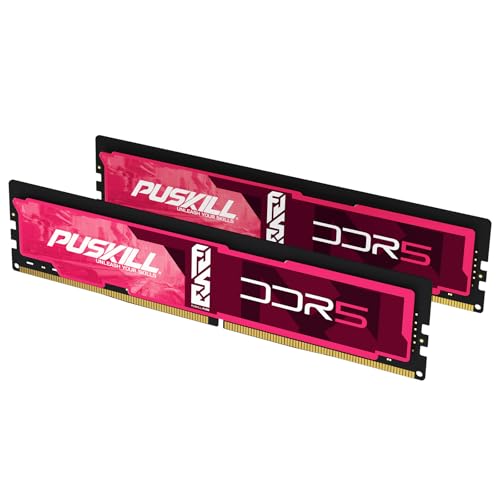


The short answer: pair the Ryzen 9 9950X with a matched DDR5-6000 CL30 EXPO kit. Buy 32GB (2x16GB) for gaming-first use, 64GB (2x32GB) for the balanced creator or developer workstation, and 96GB (2x48GB) only when large projects, VMs, or local AI already exceed 64GB.
Use the live picks above, compare DDR5-6000 CL30 and Best 64GB DDR5, browse AM5 RAM prices, or open the AM5 creator RAM Finder.
Quick buying decision
| Workload | Capacity | Kit target | Buy when |
|---|---|---|---|
| Gaming and everyday work | 32GB | 2x16GB DDR5-6000 CL30 EXPO | Default gaming build |
| Editing, development, containers | 64GB | 2x32GB DDR5-6000 EXPO | Best balanced workstation default |
| Local AI, large VMs, heavy Adobe | 96GB | 2x48GB DDR5-6000 EXPO | Real peaks already exceed 64GB |
The 9950X's 16 cores do not automatically justify 96GB. Measure committed memory during your largest concurrent workload, then choose the next standard matched-kit capacity.
9950X vs 9950X3D2 vs gaming-first AM5
| Build intent | Capacity default | Why |
|---|---|---|
| 9950X creator / compile / containers | 64GB | Multi-thread work often keeps large working sets resident |
| 9950X gaming-first | 32GB | Games do not need 64GB unless you also create |
| 9950X3D2 mixed gaming + creation | 32 / 64 / 96 by workload | Same AM5 6000 EXPO speed rule; capacity still decides |
| Pure gaming on cheaper Zen 5 | Often 9600X + 32GB | Do not overbuy RAM because the CPU is a 16-core SKU |
Worked example: Premiere + Chrome + Docker
| Load | Example committed memory |
|---|---|
| Premiere 4K timeline + browser refs | ~38–45GB |
| Same + Docker stack / local DB | ~52–58GB |
| Add ~20% headroom | ~62–70GB |
Buy 64GB when peaks stay near the mid-50GB range. Buy 96GB when sustained peaks with headroom land above ~64GB. Size with How Much RAM Do I Need? or Best RAM for Premiere if editing is the main job.
Official memory boundary versus the practical target
Specification check verified July 22, 2026 from AMD's Ryzen 9 9950X product page:
| Configuration | AMD specification | What it means when buying |
|---|---|---|
| Memory type | DDR5 UDIMM | AM5 only; do not buy DDR4 |
| Memory channels | 2 | Prefer one matched pair over four sticks |
| Two DIMMs | Up to DDR5-5600 officially | DDR5-6000 EXPO is an overclock |
| Four DIMMs | Up to DDR5-3600 officially | Dense four-DIMM setups often need a lower rate |
| Maximum memory | 256GB | Board BIOS and QVL can cap lower |
| Profile support | AMD EXPO | Prefer EXPO-labelled kits |
Motherboard ads that show 7200+ MT/s do not override the CPU table or the need for an exact QVL match. Capacity and two-stick stability matter more than chasing the largest box number. Use How to Read a Motherboard QVL before checkout.
Why DDR5-6000 instead of the biggest number
For AM5, DDR5-6000 remains the practical performance and stability target. Lower-latency EXPO kits are widely available, motherboard firmware is mature, and two-stick configurations are easier on the memory controller. Faster kits are memory overclocks whose result depends on the individual CPU, board topology, BIOS, and module density.
The 9950X is a strong multi-threaded creator CPU, but that does not change the memory shopping rule: finish capacity first, then buy a stable 6000-class EXPO kit. Extreme frequency is a tuning project, not the default path. Setup help: XMP and EXPO guide.
Capacity decision
- 1Record peak committed memory during the heaviest real project.
- 2Add any concurrent VM, container, or local-model reserve.
- 3Add roughly 15–20% headroom for spikes.
- 4Buy the next standard two-stick kit above that result.
| Calculated concurrent need | Capacity to buy |
|---|---|
| Up to about 27GB | 32GB |
| About 28–54GB | 64GB |
| About 55–82GB | 96GB |
If CL30 is scarce at 64GB or 96GB, a stable QVL-listed CL32 or CL36 kit is usually a better workstation buy than aggressive manual tuning. Check first-word latency with the RAM latency calculator.
QVL warning
Dense 2x32GB and 2x48GB kits are where QVL checks matter most. A board can physically accept the modules while an older BIOS still lacks the training improvements those densities need. Update firmware first, then search for the complete kit part number — not just the brand or RGB product line. Absence from the QVL raises return-window risk.
Common mistakes
- Buying 96GB because the CPU is a flagship: unused capacity does not raise productivity or FPS.
- Filling four slots to future-proof: replace a 2x16GB kit with one 2x32GB or 2x48GB kit instead. See mixing RAM and Four-Stick DDR5 Stability.
- Skipping the QVL on dense modules: verify 32GB or 48GB module support before checkout.
- Paying for extreme frequency before finishing the GPU or SSD budget: stay on a stable 6000-class EXPO kit first.
Install checklist
- 1Decide 32GB, 64GB, or 96GB from measured peak use.
- 2Buy one matched DDR5-6000 EXPO pair; install in the manual-recommended slots.
- 3Confirm the exact part number and module density on the motherboard QVL.
- 4Update BIOS, enable EXPO, and verify the reported speed.
- 5Stress-test memory before trusting long renders or builds (How to Test RAM Health).
Bottom line
Buy DDR5-6000 CL30 EXPO in one matched pair. Default to 64GB for creator and developer work on the 9950X, stay at 32GB for gaming-first builds, and step to 96GB only when telemetry shows the need.
Broader platform advice: Best RAM for AM5. Related: Best RAM for Local AI, How Much RAM Do I Need?, Best 96GB DDR5.