#1 best $/GB$1.80/GB
G.SKILL
G.SKILL Ripjaws S5 Series 64GB (2 x 32GB) 288-Pin PC RAM DDR5 6000 (PC5 48000) Desktop Memory Model F5-6000J3040G32GX2-RS5KDDR564GB (2x32)
$114.95
In stock
Compare 1,698 desktop DIMM modules — dual-stick 32GB preferred, then tighten to your platform speed.
Reviewed by C.R. Vinoth Kumar, Founder & Developer · LinkedIn
Typical $/GB
$12.50/GB
Typical kit
$261.45
Modules
1,698
Today's typical Desktop RAM Prices price is $12.50/GB across 1,698 tracked modules. Prices are up 2.4% vs 30 days ago. Current pricing sits at the 100th percentile of the past year.
Know your system? RAM Finder · Motherboard QVL · Compatibility checker
Bottom line
Desktop DIMMs only (not laptop SO-DIMM). Prefer a dual-stick 32GB kit — DDR5-6000 CL30 EXPO on AM5, DDR4-3600 CL16 on AM4, or DDR5-6000–6400 XMP on Intel — then enable EXPO/XMP. Desktop modules average $12.50/GB across 1,698 listings today; sort by $/GB below.
Buy this today
Skip if you need laptop SO-DIMM (use laptop prices), already know the exact kit — DDR5-6000 CL30, DDR4-3600 CL16, or DDR5-6400— or need ECC/server modules (server RAM).
| Platform | Buy | Shop |
|---|---|---|
| AMD AM5 | 32GB 6000 CL30 EXPO | 6000 CL30 |
| AMD AM4 | 32GB 3600 CL16 | 3600 CL16 |
| Intel LGA1851 | 32GB 6000–6400 XMP | DDR5-6400 |
| Gaming browse | High-speed dual-stick | Gaming RAM |
Live verified desktop ram prices deals updated daily.
Prices and availability updated dynamically via Amazon Creators API. As an Amazon Associate, RAM Prices earns from qualifying purchases.
Verify on Amazon.com before purchasing — checkout price applies.Lowest $/GB on buyable kits — dual-stick ≥16GB when available
G.SKILL
G.SKILL Ripjaws S5 Series 64GB (2 x 32GB) 288-Pin PC RAM DDR5 6000 (PC5 48000) Desktop Memory Model F5-6000J3040G32GX2-RS5K$114.95
In stock
Corsair
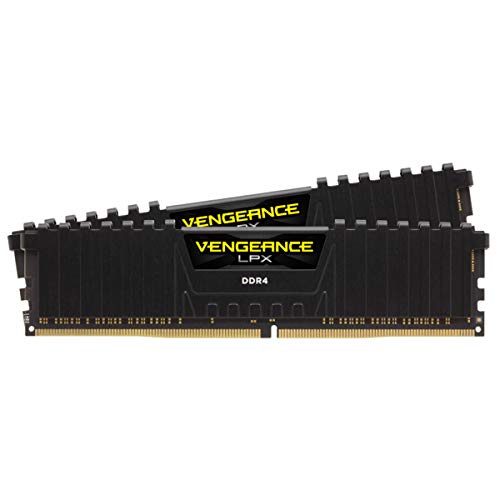
CORSAIR Vengeance LPX DDR4 RAM 64GB (2x32GB) 3600MHz CL18-22-22-42 1.35V Intel AMD Desktop Computer Memory - Black (CMK64GX4M2D3600C18)$149.99
In stock
G.SKILL
G.SKILL Trident Z5 RGB Series DDR5 RAM (Intel XMP 3.0) 48GB (2x24GB) Up to 6800MT/s CL32-39-39-108 1.35V Desktop Computer Memory U-DIMM - Matte Black (F5-6800J3239F24GX2-TZ5RK)$112.51
In stock
Prices updated daily. Product prices and availability are accurate as of the date/time indicated and are subject to change. Any price and availability information displayed on Amazon.com at the time of purchase will apply to the purchase of this product.
Disclosure: As an Amazon Associate I earn from qualifying purchases. Rankings use price and spec data only — not paid placement. How we rank products
Sorted by price per GB — Amazon stock signal preferred
397 listed
Jump to a sweet spot
Filter by Platform
Show only RAM compatible with your system
Intel Desktop
Intel HEDT
AMD Desktop
AMD HEDT
Laptop

$114.95
$1.80/GB
In stock

In stock
$149.99
$2.34/GB
In stock

$112.51
$2.34/GB
In stock

$37.88
$2.37/GB
In stock

$37.88
$2.37/GB
In stock

$37.99
$2.37/GB
In stock

$37.99
$2.37/GB
In stock

$37.99
$2.37/GB
In stock

In stock

In stock
$39.97
$2.50/GB
In stock

$40.00
$2.50/GB
In stock

$40.35
$2.52/GB
In stock

In stock

$43.99
$2.75/GB
In stock

$43.99
$2.75/GB
In stock

$43.99
$2.75/GB
In stock

$43.99
$2.75/GB
In stock
$44.99
$2.81/GB
In stock

$45.99
$2.87/GB
In stock

$47.99
$3.00/GB
In stock
$47.99
$3.00/GB
In stock
$47.99
$3.00/GB
In stock

$48.99
$3.06/GB
In stock

$48.99
$3.06/GB
In stock

$50.16
$3.14/GB
In stock

$53.97
$3.37/GB
In stock

$56.67
$3.54/GB
In stock

$58.00
$3.63/GB
In stock

$58.00
$3.63/GB
In stock

$249.99
$3.91/GB
In stock

In stock

$439.99
$4.58/GB
In stock

In stock

$161.99
$5.06/GB
In stock

$88.99
$5.56/GB
In stock
$179.08
$5.60/GB
In stock

$89.99
$5.62/GB
In stock

$180.99
$5.66/GB
In stock

$183.99
$5.75/GB
In stock

$183.99
$5.75/GB
In stock
$370.31
$5.79/GB
In stock

$185.97
$5.81/GB
In stock

$187.17
$5.85/GB
In stock

$189.99
$5.94/GB
In stock

$189.99
$5.94/GB
In stock

$189.99
$5.94/GB
In stock

$190.99
$5.97/GB
In stock

$192.99
$6.03/GB
In stock
Prices updated daily. Product prices and availability are accurate as of the date/time indicated and are subject to change. Any price and availability information displayed on Amazon.com at the time of purchase will apply to the purchase of this product.
Prices updated daily. Product prices and availability are accurate as of the date/time indicated and are subject to change. Any price and availability information displayed on Amazon.com at the time of purchase will apply to the purchase of this product.
Spotted a wrong price or spec? Report a data correction · How we verify data
7d
+0.2%
30d
+2.4%
90d
—
Volatility
0.6%
52w pct
100th
Daily average $/GB — updated every day
How to buy desktop RAM without overpaying
Buying context, speed tiers, and platform notes
Bottom line: buy a dual-stick desktop DIMM kit — typically $12.42/GB average across tracked desktop modules today. 32GB (2×16GB) is the 2026 default. Enable EXPO/XMP after install.
| Platform | Type | Target | Notes |
|---|---|---|---|
| AMD AM5 | DDR5 | DDR5-6000 CL30 | Usual UCLK:MCLK 1:1 · EXPO |
| AMD AM4 | DDR4 | DDR4-3600 CL16 | FCLK often ~1800 MHz · Zen 2/3 |
| Intel LGA1700 | DDR4 or DDR5 | Board-dependent | Check DIMM generation on the board |
| Intel LGA1851 | DDR5 | DDR5-6000–6400 | XMP 3.0 UDIMM band |
RAM buying guide. Gaming focus: Gaming RAM prices. Generation hubs: DDR5, DDR4.
Prefer a dual-stick 32GB kit: DDR5-6000 CL30 EXPO on AM5, DDR4-3600 CL16 on AM4, or DDR5-6000–6400 XMP on Intel LGA1851. Enable EXPO/XMP in BIOS. 16GB is the floor; 64GB is for creators and local AI.
Two matched sticks in the correct slots (often A2/B2) enable dual-channel bandwidth. A 2×16GB kit beats a single 32GB stick for gaming and everyday work. Prefer kits sold as matched pairs.
Desktops use full-size DIMM. Laptops and many mini PCs use SO-DIMM. They are physically incompatible — use the laptop hub for SO-DIMM, not this page.
Hit the platform target first (AM5 6000 CL30 / AM4 3600 CL16 / Intel 6000–6400). Dual-channel and capacity matter more than chasing extreme MT/s. Past the sweet spot, gains are usually small.
Yes for high-speed or four-stick kits. The QVL lists modules the vendor validated. Use our compatibility / QVL tools, then still confirm on the board support page for critical builds.
Fill for dual-channel with two sticks. On 4-slot boards, 2×16GB leaves room to add later; avoid four-stick DDR5 packs unless QVL-listed at your target speed.