
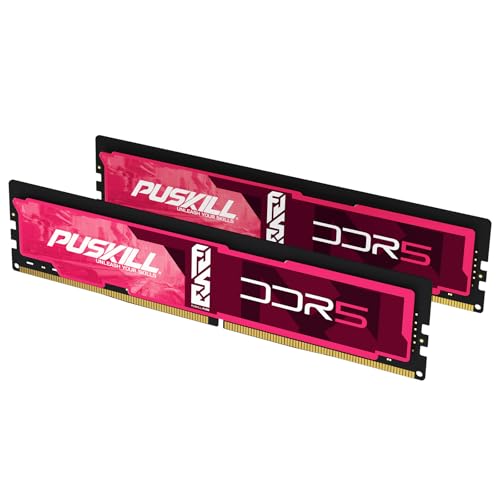

Memory buying is harder in 2026 than it was a few years ago. Prices move fast, platform rules are stricter, and AI workloads need far more memory than older workflows. This guide gives you a clear path so you can choose the right RAM without wasting money.
Start with platform compatibility, then capacity, then speed and timings.
Use the live kits above for scenario picks (DDR4 upgrade, AM5 32GB, creator 64GB, and budget under $150). Compare Best RAM Deals, DDR5-6000 CL30, best 32GB DDR5, and DDR5 RAM Prices.
Quick answer first
| Scenario | Recommended choice | Why this works |
|---|---|---|
| Existing DDR4 system | 32GB DDR4-3200–3600 CL16 | Best value for upgrades |
| New mainstream build | 32GB DDR5-5600 to 6000 | Strong balance of cost and performance |
| New AMD focused build | 32GB DDR5-6000 CL30 EXPO | Best RAM for AM5 · DDR5-6000 CL30 |
| Existing AM4 upgrade | 32GB DDR4-3600 CL16 | Best RAM for AM4 · DDR4-3600 CL16 |
| New Intel high end build | 32GB to 64GB DDR5 near platform support | Bandwidth scales when the board validates the kit |
| Creator or local AI setup | 64GB to 128GB DDR5 | Best RAM for Local AI |
| Hard budget ≤ $150 | Dual-stick kit, platform-correct gen | Best RAM under $150 |
Considering marketplace sticks? Read Buying Used RAM first.
Why RAM prices feel high in 2026
A large part of global memory production is directed toward AI data center demand. That reduces supply for client memory and puts pressure on DDR5 pricing. Legacy DDR4 production also keeps shrinking, which can create unexpected spikes for older kits.
What this means for buyers
- Good deals are often short windows
- Waiting does not always lead to lower checkout prices
- Buying only what you need now can reduce risk
Verify measured retail movement on Why are RAM prices so high? and RAM price trends. For industry background, see IDC analysis on the memory shortage.
Step 1: Choose platform compatibility first
DDR4 and DDR5 are physically different. You cannot mix them. Your motherboard and CPU decide which generation you can use.
Platform first checklist
- 1Confirm motherboard memory generation
- 2Check the board QVL for validated kits — follow How to Read a Motherboard QVL
- 3Confirm maximum supported capacity
- 4Confirm slot population rules for dual-channel operation
- 5Prefer tools when unsure: RAM Finder · Compatibility tool · QVL boards
Official references:
Step 2: Pick capacity for your real workload
Capacity is the biggest performance lever for most users. Overfocusing on frequency while underbuying size is a common mistake.
| Workload | Recommended | Minimum |
|---|---|---|
| Office, browsing, light multitasking | 16GB | 16GB |
| Modern gaming | 32GB | 16GB |
| Editing, design, heavy creator tasks | 64GB | 32GB |
| Development with containers and local databases | 32GB–64GB | 16GB |
| Local AI, multiple VMs, advanced workstation use | 128GB or more | 64GB |
Signs you need more RAM
- Apps pause when you switch tasks
- Browser tabs reload often
- System feels slow even when CPU usage is low
- You see frequent memory pressure warnings
For laptop upgrades: Laptop RAM Prices and Laptop RAM Upgrade Guide. For a full matrix: How Much RAM Do I Need?.
Step 3: Choose speed and timings with simple rules
Faster kits are not always faster in real use. Stability, platform behavior, and true latency matter as much as raw transfer rate.
Practical speed guidance
- DDR4 value range: 3200 CL16
- DDR4 performance range: 3600 with good timings
- DDR5 mainstream range: 5600 to 6000
- DDR5 high performance range: platform and board dependent
True latency formula
True latency in ns = (CL / Transfer Rate in MT/s) * 2000
| Kit | True latency |
|---|---|
| DDR4 3200 CL16 | 10.0 ns |
| DDR4 3600 CL18 | 10.0 ns |
| DDR5 5600 CL36 | 12.86 ns |
| DDR5 6000 CL30 | 10.0 ns |
Compare live numbers with the latency calculator and price-per-GB calculator.
Vendor primers: Corsair CAS latency · Crucial timings
Step 4: Understand AMD and Intel tuning behavior
- 1On AMD AM5 builds, prioritize stable DDR5-6000 class kits with strong timings (AM5 guide)
- 2On Intel high-end builds, consider higher speed bins only if the board QVL and cooling support them
- 3In both cases, stability beats benchmark screenshots
- 4Enable profiles with the XMP and EXPO BIOS guide, then test RAM health
Step 5: Know where CAMM2 fits today
Traditional DIMM remains the common desktop path. SODIMM is still common in many laptops. CAMM2 and LPCAMM2 are growing for signal integrity and compact layout, with tradeoffs for incremental upgrades.
See LPCAMM2 and CAMM2 Laptop Upgrade Guide and JEDEC standards.
Step 6: Plan for local AI workloads
| User profile | Typical model size target | Practical memory starting point |
|---|---|---|
| Casual testing | Small models | 16GB to 32GB |
| Developer workflow | Mid size models with tools | 32GB to 64GB |
| Heavy local inference | Larger quantized models | 64GB to 128GB |
| Advanced multi-tool setup | Large context and concurrent tools | 128GB or more |
Scale in stages: 32GB → 64GB → evaluate 128GB. Use the AI Inference tool and Best RAM for Local AI.
Step 7: Buy safely in a volatile market
- 1Shortlist two or three kits from your board QVL
- 2Compare current value by price per gigabyte
- 3Buy from sellers with clear return policies
- 4Prefer one matched two-stick kit — see Mixing RAM Compatibility and Four-Stick DDR5 Stability
- 5Update BIOS before advanced memory tuning
- 6Stress test before the return window closes
Final checks: Best RAM Deals · DDR4 RAM Prices · Desktop RAM Prices · DDR4 vs DDR5
Final recommendation
In 2026, the best results come from platform stability first, capacity second, and speed tuning third.
For most users, 32GB is the practical baseline. For creator and AI-heavy workflows, 64GB to 128GB delivers better long-term value than chasing extreme speed kits.
If your current system is DDR4, a smart DDR4 upgrade is still valid. If you are building new, DDR5 is the default path.