
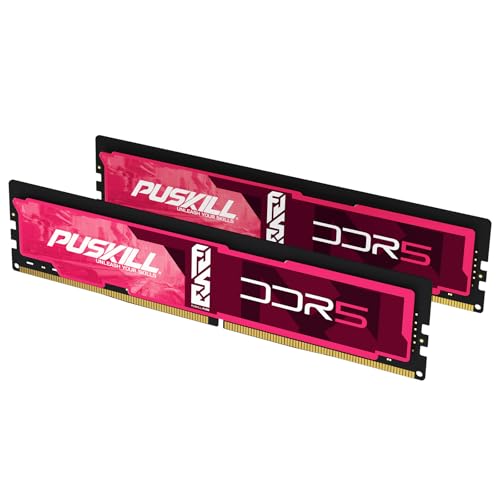

If you are building on AMD AM5 — Ryzen 7000, 8000G, or 9000 — the memory decision is simpler than retailer SKUs make it look.
Bottom line up front: Buy a matched 2-stick DDR5-6000 CL30 EXPO kit. Use 32GB (2×16GB) for most gaming builds and 64GB (2×32GB) if you edit video, run VMs, or do local AI. Enable EXPO once, keep UCLK:MCLK at 1:1, and spend the rest of the budget on the GPU. Skip expensive 7200+ and CUDIMM kits for AM5 today.
Live pricing moves weekly — check DDR5 RAM Prices and Best RAM Deals before you buy.
Quick AM5 picker
| Your build | Buy this | Why |
|---|---|---|
| Gaming (non-X3D) | 32GB DDR5-6000 CL30 EXPO | Best latency / FPS value on Zen 4 / Zen 5 |
| Gaming (X3D) | 32GB DDR5-6000 CL30 EXPO | V-Cache reduces RAM sensitivity; do not overspend |
| Creator / multitasking | 64GB DDR5-6000 CL30–CL32 | Capacity beats chasing higher MT/s |
| Local AI / VMs | 64–128GB DDR5-6000 dual-channel | See Best RAM for Local AI |
| Budget AM5 | 32GB DDR5-5600–6000 CL30–CL36 | Prefer EXPO; CL30 if the price gap is small |
Why DDR5-6000 CL30 wins on AM5
On AM5, performance is driven by how cleanly the memory data clock (MCLK) stays locked 1:1 with the memory controller clock (UCLK). At DDR5-6000, both sit near 3000 MHz on typical silicon. Infinity Fabric clock (FCLK) is related but separate — modern AGESA builds usually leave FCLK on Auto, and you do not need a perfect 1:1:1 lock for strong gaming results.
Push far past 6000 MT/s and many chips drop UCLK into a 2:1 relationship with MCLK. The latency penalty often cancels the bandwidth gain. That is why a tight 6000 CL30 kit regularly matches or beats pricier 7200+ kits in games on Ryzen.
True latency check: CL30 at 6000 MT/s is about 10.0 ns. A CL36 kit at the same speed is slower where frametimes matter. Use our Latency Calculator if you want to compare SKUs.
For the broader gaming market context, see Best RAM for Gaming. For the general purchase flow, see the RAM Buying Guide.
EXPO vs XMP on Ryzen
- Prefer kits with an AMD EXPO profile. EXPO is the validated one-click path for AM5.
- Many kits ship with both EXPO and Intel XMP. On Ryzen, enable EXPO in BIOS, not XMP, when both exist.
- Without a profile, sticks train at a JEDEC baseline (often ~4800 MT/s). You leave performance on the table.
Step-by-step BIOS help: XMP / EXPO BIOS Guide.
Capacity: 32GB vs 64GB on AM5
| Capacity | Best for | Notes |
|---|---|---|
| 32GB (2×16GB) | Most gaming + browsing + Discord | 2026 gaming baseline |
| 64GB (2×32GB) | Heavy Chrome + creators + light local AI | Prefer two sticks, not four |
| 96–128GB (2×48 / 2×64) | Serious local AI / VMs | QVL + board max matter |
Do not build 64GB as 4×16GB on DDR5 unless you accept lower stable speeds. Signal integrity drops with four populated slots — details in Four Sticks DDR5 Stability.
Capacity planning by workload: How Much RAM Do I Need?.
What not to buy for AM5 in 2026
- 1CUDIMM 8400+ kits “for Ryzen” — Zen 4 / Zen 5 typically run CUDIMM in Bypass Mode (CKD unused). You pay Intel-class premiums for UDIMM-class speeds. Full native CKD is expected later (Zen 6 era). Read CUDIMM Guide.
- 2Four-stick RGB show builds at 6000+ — often fail training or crash under load.
- 3Mixing leftover sticks — different ICs break EXPO stability. Prefer a new matched kit; if you must mix, read Mixing RAM Compatibility.
- 4Used “too good to be true” kits — counterfeit DDR5 is rising in shortage markets. Vet carefully with Buying Used RAM.
Recommended kit shapes (verify live price)
Brand matters less than spec + EXPO + QVL. Target these shapes, then pick the cheapest stable listing:
| Priority | Spec shape | Who it is for |
|---|---|---|
| Best default | DDR5-6000 CL30 EXPO, 32GB 2×16GB | Almost every AM5 gamer |
| Value compromise | DDR5-6000 CL36 EXPO, 32GB | When CL30 is badly overpriced |
| Creator default | DDR5-6000 CL30–CL32 EXPO, 64GB 2×32GB | Editing, containers, multitasking |
| Low-profile / air cooler | Same specs, low-height heatspreader | Large tower coolers |
Always check your motherboard QVL for the exact model number. After install:
- 1Update BIOS / AGESA if the board is older.
- 2Enable EXPO.
- 3Confirm speed in CPU-Z or Task Manager.
- 4Stress with TestMem5 or MemTest86 before the return window closes — How to Test RAM Health.
AM5 slow boots after EXPO
Long black-screen POSTs (45–180 seconds) are common on AM5 while the board trains DDR5. That is usually training, not a dead kit. Fix it with Memory Context Restore + Power Down Mode — AM5 Slow Boot Fix.
X3D CPUs: do you need faster RAM?
Ryzen X3D chips (7800X3D, 9800X3D, and similar) cache so much game data on-die that RAM speed sensitivity drops. DDR5-6000 CL30 remains the correct buy. Spending for 7200+ rarely pays back in FPS. Put the savings into a better GPU or 64GB if you also create content.
Buying checklist
- 1Confirm the board is AM5 / DDR5 (not AM4).
- 2Buy a matched 2-stick kit, not mixed singles.
- 3Target 6000 CL30 EXPO (CL36 only if the savings are large).
- 4Size 32GB for gaming, 64GB+ for creators / AI.
- 5Enable EXPO; verify UCLK:MCLK stays 1:1 at your chosen speed.
- 6Compare live $/GB on DDR5-6000 CL30 kits, best 32GB DDR5, and DDR5 prices.
- 7If prices feel extreme, read RAM Price Trends — but do not delay a needed build indefinitely. Tight budget? Scan RAM under $150.
CPU-specific buying paths
CPU-specific paths: 9800X3D · 9950X · 9950X3D2. Related decisions: Is DDR5-7200 worth it? · dual-rank vs single-rank · EXPO won’t enable · AM5 WHEA errors.
Sources and further reading
For CPU-specific decisions, use the Ryzen guides above. Those pages map the same AM5 stability rules to capacity and workload.
- AMD AM5 platform materials and EXPO kit guidance
- Community + reviewer consensus on DDR5-6000 CL30 as the AM5 sweet spot (2024–2026)
- Live picks: DDR5-6000 CL30, AMD AM5 RAM prices
- Internal companions: Best RAM for Gaming, CUDIMM Guide, XMP/EXPO BIOS Guide