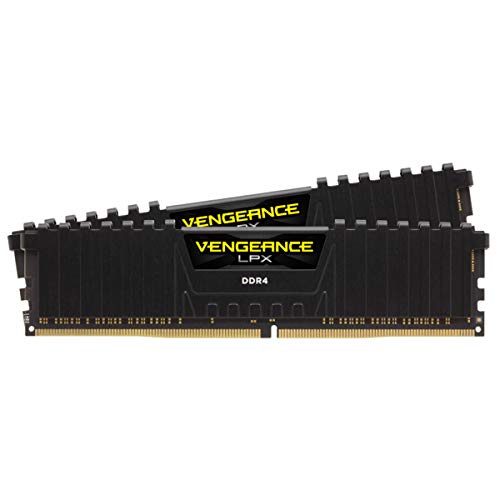
The RAM market in 2026 is unlike anything PC builders have seen before. Prices have surged over 400% since mid-2025, driven by AI data center demand consuming the same DRAM wafers that would otherwise become your gaming kit. At the same time, game engines have evolved to the point where 16GB is no longer a safe baseline β it is a liability.
This guide cuts through the noise. You will get platform-specific picks, real pricing context, and a clear framework for choosing the right kit without overspending.
Bottom line up front: For most gamers in 2026, the answer is 32GB of DDR5-6000 CL30 in a dual-stick configuration. Everything below explains why β and when to deviate from that.
Quick Platform Picker
| Your CPU | Buy This | Why |
|---|---|---|
| AMD Ryzen 9000 / 7000 (AM5) | DDR5-6000 CL30 | Perfect 1:1 Infinity Fabric sync |
| AMD Ryzen X3D (7800X3D, 9800X3D) | DDR5-6000 CL30 | V-Cache masks latency; faster RAM wastes money |
| Intel Core Ultra 200S (Arrow Lake) | DDR5-6400 to DDR5-7200 | Architecture scales with bandwidth |
| Intel 12thβ14th gen (LGA 1700) | DDR5-5600 to DDR5-6000 | Solid balance; check board QVL |
| AMD Ryzen 5000 (AM4) | DDR4-3600 CL16 | Infinity Fabric sweet spot for Zen 3 |
| Intel 10thβ12th gen (LGA 1200/1700 DDR4) | DDR4-3200 CL16 | Best value for legacy platforms |
Why 32GB is the New Minimum
Until recently, 16GB was the accepted standard for gaming. That changed when two trends collided.
First, modern GPUs β particularly popular mid-range cards like the RTX 4060 Ti and RX 7600 β ship with only 8GB of VRAM. Games like Cyberpunk 2077, Hogwarts Legacy, and The Last of Us Part I routinely exceed that limit at 4K with high-quality textures. When a GPU runs out of VRAM, the game engine spills overflow data into system RAM via the PCIe bus.
Second, if your system only has 16GB of RAM, that VRAM spillover rapidly consumes the remaining headroom. Once system RAM is exhausted, Windows begins using your SSD as a page file β and that is where frame pacing collapses. Average FPS may look acceptable on a monitoring overlay, but 1% and 0.1% lows drop by 30β50%, producing the micro-stutters and texture pop-in that make games feel broken.
32GB absorbs the spillover cleanly. Independent testing in 2026 consistently shows that upgrading from 16GB to 32GB eliminates these stutters even on VRAM-constrained GPUs, without any other hardware change.
16GB is only viable if: you are on the tightest possible budget, you close all background apps before gaming, and you accept that upcoming titles will push you toward an upgrade within 12β18 months.
Why 8GB DDR5 modules are worse than they look: 8GB DDR5 sticks use fewer memory bank groups on the silicon, which reduces raw processing throughput compared to 16GB modules at the same speed. If you are buying 16GB total, two 8GB sticks in dual-channel is still better than one 16GB stick β but 2Γ16GB is the correct target.
The 2026 RAM Shortage: What You Need to Know
Before looking at specific kits, understand the market you are buying in.
The three companies that produce virtually all DRAM β SK Hynix, Samsung, and Micron β have redirected their manufacturing capacity toward High Bandwidth Memory (HBM) for AI accelerators. HBM yields far higher profit margins than consumer DDR5. The result: a 32GB DDR5-6000 kit that cost around $80 in mid-2025 now costs $430β600 in April 2026 β a 400%+ increase in under twelve months.
This is not a short-term blip. SK Group's chairman has publicly stated the memory chip shortage will persist until approximately 2030, with global wafer supply trailing demand by over 20%. Micron has already wound down portions of its Crucial consumer brand. Samsung and SK Hynix have halted DDR4 production.
The practical implication: Do not wait for prices to return to 2025 levels. They will not. If you need RAM for a current build, buy now and prioritize value-tier kits that deliver the performance you need without paying the enthusiast premium.
Platform-Specific Speed Guide
This is the most important section for avoiding wasted money. The "right" RAM speed is not universal β it depends entirely on your CPU architecture.
AMD Ryzen 7000 and 9000 Series (AM5 Socket)
AMD's Zen 4 and Zen 5 processors use an internal communication bus called the Infinity Fabric. For optimal performance, the memory clock must run in a 1:1 synchronized ratio with the memory controller clock β this is called Gear 1 or 1:1 mode.
At DDR5-6000, the memory runs at 3000 MHz physically. The memory controller matches at 3000 MHz. The Infinity Fabric runs at 2000 MHz. Everything is synchronized, latency is minimized, and frame pacing is smooth.
Push beyond DDR5-6000 and most Ryzen chips fall out of sync into Gear 2, where the memory controller runs at half the RAM speed. The latency penalty from desynchronization typically cancels out the bandwidth gains from the higher frequency. You end up paying significantly more for identical or worse gaming performance.
AMD sweet spot: DDR5-6000 CL30
Recent AGESA microcode updates (versions 1.0.0.7c and 1.1.0.0) allow some processors to maintain 1:1 sync up to DDR5-6400, but this is silicon-dependent and not guaranteed across all chips.
Slow Boot Times Notice: Due to strict signal integrity testing, DDR5 systems on AMD AM5 sockets can suffer from long 45-to-180 second boot-up delays. Follow our AM5 Slow Boot Fix Guide to optimize boot speed in your BIOS safely.
The X3D exception: If you have a Ryzen 7 7800X3D, 9800X3D, or any other 3D V-Cache processor, RAM speed is almost irrelevant. The massive on-die L3 cache intercepts the vast majority of memory requests before they ever reach system RAM. DDR5-6000 CL30 is perfectly optimal β spending more on faster RAM yields near-zero return.
Intel Core Ultra 200S (Arrow Lake, LGA 1851)
Intel's architecture handles memory differently. Arrow Lake benefits from raw bandwidth and handles asynchronous gear transitions more gracefully than AMD's Infinity Fabric. The memory controller scales fluidly with higher speeds.
The practical sweet spot for Arrow Lake gaming systems is DDR5-6400 to DDR5-7200. The Arrow Lake Refresh silicon natively supports DDR5-7200, a 12.5% improvement over the original Arrow Lake launch specs.
Intel sweet spot: DDR5-6400 to DDR5-7200
For speeds above DDR5-8000, Intel systems benefit from CUDIMM technology (explained below), though the cost premium is substantial.
Legacy DDR4 Platforms (AM4, LGA 1700)
DDR4 is not dead β it is just reaching end of life. If you are on an AMD AM4 system (Ryzen 3000/5000) or Intel LGA 1700 (12thβ14th gen), a well-tuned DDR4 kit still delivers strong gaming performance.
A DDR4-3600 CL16 setup achieves approximately 93% of the gaming performance of a DDR5-6000 CL30 system. For a drop-in CPU upgrade on an existing platform, that is an excellent result at a fraction of the cost.
DDR4 sweet spot: DDR4-3600 CL16 (or DDR4-3200 CL14 for tighter latency)
Be aware: DDR4 production has ended at all three major manufacturers. SK Hynix halted DDR4 orders in October 2025. Micron has wound down DDR4 lines. Paradoxically, DDR4 prices have surged 50% due to scarcity β in some cases, premium DDR4 kits now cost more than equivalent DDR5.
True Latency: The Number That Actually Matters
CAS latency numbers are misleading when comparing DDR4 and DDR5 kits. A DDR5 kit with CL30 is not "worse" than a DDR4 kit with CL16 β the clock cycles are shorter at higher frequencies.
Use this formula to compare kits on equal footing:
True latency (ns) = (CL Γ· speed in MHz) Γ 2000
| Kit | CL | Speed | True Latency | Verdict |
|---|---|---|---|---|
| DDR4-3200 CL16 | 16 | 1600 MHz | 10.0 ns | Legacy baseline |
| DDR4-3600 CL16 | 16 | 1800 MHz | 8.9 ns | Best DDR4 for gaming |
| DDR4-3600 CL18 | 18 | 1800 MHz | 10.0 ns | Avoid β same latency as DDR4-3200 |
| DDR5-5600 CL36 | 36 | 2800 MHz | 12.9 ns | Avoid β poor value |
| DDR5-6000 CL30 | 30 | 3000 MHz | 10.0 ns | AMD sweet spot |
| DDR5-6400 CL32 | 32 | 3200 MHz | 10.0 ns | Intel mainstream |
| DDR5-7200 CL34 | 34 | 3600 MHz | 9.4 ns | Intel high-end |
DDR5-6000 CL30 matches the absolute latency of DDR4-3200 CL16 while delivering roughly double the bandwidth. This is why it is the recommended baseline for modern builds.
Avoid CL48 kits at any price. These use poorly binned silicon running at JEDEC baseline timings. They offer terrible long-term value regardless of headline speed and actively handicap CPU frame generation.
Recommended Kits by Budget (April 2026 Pricing)
All prices reflect the inflated April 2026 market. Expect volatility β check live prices before purchasing.
Budget Tier: Reliable 32GB Without Overpaying
TeamGroup T-Force Vulcan DDR5-5200 CL40 (32GB 2Γ16GB)
| Spec | Detail |
|---|---|
| Model | FLBD532G5200HC40CDC01 |
| Speed | DDR5-5200 |
| Timings | 40-40-40-77 |
| Voltage | 1.1V |
| Profile | JEDEC |
| Height | 32.7mm |
| Warranty | Lifetime |
Approx. price: $430β$460
Best for: Absolute budget builders who need 32GB without the RGB tax.
β Reasons to buy
- Lowest available price for a 32GB DDR5 kit
- 32.7mm height clears most large air coolers
- Eliminates the 16GB VRAM spillover stutter problem entirely
- No RGB means no aesthetic premium
β Reasons to avoid
- CL40 is loose β not suitable for AMD systems where tight timings matter
- No EXPO profile; runs at JEDEC baseline out of the box
- Not competitive for AMD AM5 builds where DDR5-6000 CL30 is the correct target
Crucial Pro Overclocking DDR5-6400 CL38 (32GB 2Γ16GB)
| Spec | Detail |
|---|---|
| Model | CP2K16G64C38U5B |
| Speed | DDR5-6400 |
| Timings | 38-48-48-128 |
| Voltage | 1.35V |
| Profile | Intel XMP 3.0 |
| Warranty | Limited lifetime |
Approx. price: $360β$461
Best for: Intel Arrow Lake systems on a mid-range budget.
β Reasons to buy
- No RGB means no aesthetic premium
- Reliable XMP 3.0 profiles
- 6400 MT/s is natively supported on Arrow Lake
- Excellent price-to-performance for Intel builds
β Reasons to avoid
- CL38 timings are loose for the speed
- Not optimized for AMD β no EXPO profile
- Crucial brand is winding down; long-term availability uncertain
Mid-Range Tier: Best Performance-to-Price Ratio
G.Skill Trident Z5 Neo RGB DDR5-6000 CL30 (32GB 2Γ16GB) β Top Pick for AMD
| Spec | Detail |
|---|---|
| Model | F5-6000J3038F16GX2-TZ5NR |
| Speed | DDR5-6000 |
| Timings | 30-38-38-96 (2T) |
| Voltage | 1.35V |
| Profile | AMD EXPO |
| IC Type | SK Hynix M-die |
| Warranty | Lifetime |
Approx. price: $550β$600
Best for: AMD AM5 systems β this is the definitive pick.
β Reasons to buy
- Hits the exact DDR5-6000 sweet spot for perfect Infinity Fabric 1:1 sync
- AMD EXPO certified β plug in and enable EXPO in BIOS, done
- SK Hynix M-die ICs are proven reliable with headroom for sub-timing tweaks
- In real-world testing, frequently outperforms kits running 1000 MT/s faster by avoiding Gear 2 latency penalty
- Lifetime warranty
β Reasons to avoid
- RGB adds cost if you do not care about aesthetics
- Overkill for X3D processors where RAM speed barely matters
- Not the right choice for Intel β use XMP-certified kits instead
Corsair Vengeance RGB DDR5-6000 CL30 (32GB 2Γ16GB)
| Spec | Detail |
|---|---|
| Model | CMH32GX5M2B6000Z30 |
| Speed | DDR5-6000 |
| Timings | 30-36-36-76 (2T) |
| Voltage | 1.35V |
| Profile | AMD EXPO + Intel XMP 3.0 |
| IC Type | SK Hynix A-die |
| Warranty | Limited lifetime |
Approx. price: $440β$565
Best for: Gamers who want broad motherboard compatibility and iCUE software integration.
β Reasons to buy
- Dual EXPO + XMP profiles β works well on both AMD and Intel
- iCUE software for RGB synchronization with other Corsair peripherals
- Widely available across US retailers
- Both CL30 and CL36 variants exist β CL30 is the correct choice
β Reasons to avoid
- Pricing has fluctuated significantly in April 2026 β check B&H Photo and Amazon for current best price
- CL36 variant is sometimes listed at similar prices β verify the CL before purchasing
- Slightly looser secondary timings than G.Skill equivalent
High-End Tier: Maximum Performance for Intel Systems
G.Skill Trident Z5 RGB DDR5-7200 CL34 (32GB 2Γ16GB) β Top Pick for Intel
| Spec | Detail |
|---|---|
| Model | F5-7200J3445G16GX2-TZ5RS |
| Speed | DDR5-7200 |
| Timings | 34-45-45-115 (2T) |
| Voltage | 1.40V |
| Profile | Intel XMP 3.0 |
| Warranty | Lifetime |
Approx. price: $660β$680
Best for: Intel Arrow Lake users seeking maximum out-of-box frame rates.
β Reasons to buy
- Exceptionally tight timings relative to its frequency
- Natively supported on Arrow Lake Refresh silicon
- Lifetime warranty
- Genuine performance advantage over DDR5-6400 on Intel (5β8% in CPU-bound scenarios)
β Reasons to avoid
- Only viable on Intel Z-series motherboards with robust PCB trace isolation
- Not recommended for AMD β the Gear 2 penalty negates the speed advantage entirely
- Significant price premium over DDR5-6400 for modest real-world gains
G.Skill Trident Z5 RGB DDR5-8000 CL38 (48GB 2Γ24GB)
| Spec | Detail |
|---|---|
| Model | F5-8000J3848G24GX2-TZ5RK |
| Speed | DDR5-8000 |
| Timings | 38-48-48-128 (2T) |
| Voltage | 1.45V |
| Profile | Intel XMP 3.0 |
| Capacity | 48GB via 24Gb DRAM chips |
| Warranty | Lifetime |
Approx. price: $600β$700
Best for: Streamers and content creators who need non-binary capacity with elite gaming speeds.
β Reasons to buy
- 48GB via 24Gb DRAM chips is the ideal middle ground for gaming + video editing
- DDR5-8000 provides maximum bandwidth for Intel platforms
- Non-binary capacity fills the gap between 32GB and 64GB efficiently
β Reasons to avoid
- Requires a capable Intel Z-series platform
- At DDR5-8000, CUDIMM technology provides better signal stability β this kit pushes UDIMM limits
- Overkill for pure gaming; justified only for mixed gaming + content creation workflows
Corsair Dominator Titanium DDR5-6000 CL30 (64GB 2Γ32GB)
| Spec | Detail |
|---|---|
| Model | CMP64GX5M2B6000C30 |
| Speed | DDR5-6000 |
| Timings | 30-36-36-76 (2T) |
| Voltage | 1.35V |
| Profile | AMD EXPO + Intel XMP 3.0 |
| Heat spreader | Die-cast aluminum |
| Warranty | Limited lifetime |
Approx. price: $950β$1,228
Best for: Prosumers running virtualization, 4K video rendering, or simulation games like Microsoft Flight Simulator 2024.
β Reasons to buy
- Die-cast aluminum heat spreaders represent the pinnacle of consumer RAM engineering
- 64GB handles the most demanding mixed professional + gaming workloads
- Dual EXPO + XMP profiles for platform flexibility
β Reasons to avoid
- Overkill for pure gaming β 32GB handles all current titles
- Prices frequently exceed $1,200 due to the HBM wafer crisis squeezing high-density DRAM supply
- 64GB via 2Γ32GB is the only correct configuration β never use 4Γ16GB (see four-stick warning below)
Legacy DDR4 Picks
TEAM XTREEM ARGB DDR4-3600 CL14 (16GB 2Γ8GB)
| Spec | Detail |
|---|---|
| Model | TF10D416G3600HC14CDC01 |
| Speed | DDR4-3600 |
| Timings | 14-15-15-35 (2T) |
| Voltage | 1.45V |
| Profile | Intel XMP 2.0 |
| IC Type | Samsung B-die |
| Warranty | Lifetime |
Best for: AMD Ryzen 5000 series users maximizing the AM4 platform.
β Reasons to buy
- CL14 is exceptionally tight for DDR4-3600 β maximizes Infinity Fabric efficiency on Zen 3
- Samsung B-die ICs offer excellent overclocking headroom
- Squeezes every last frame from legacy hardware
β Reasons to avoid
- 16GB total is becoming marginal in 2026 β consider 32GB if budget allows
- Limited availability as DDR4 production winds down
Corsair Dominator Platinum DDR4-3200 CL16 (32GB 2Γ16GB)
| Spec | Detail |
|---|---|
| Speed | DDR4-3200 |
| Timings | 16-18-18-36 (2T) |
| Voltage | 1.35V |
| Profile | Intel XMP 2.0 |
| Warranty | Limited lifetime |
Best for: High-capacity upgrade for legacy rigs before an eventual platform retirement.
β Reasons to buy
- 32GB on DDR4 provides modern multitasking headroom
- Defers the cost of a full platform upgrade
- Corsair reliability and build quality
β Reasons to avoid
- DDR4-3200 is not the sweet spot for Ryzen β DDR4-3600 is preferred
- DDR4 prices have surged 50% due to scarcity; verify current pricing before purchasing
Kits We Tested and Rejected
These kits appeared in our research but did not make the final list:
G.Skill Trident Z5 Neo RGB DDR5-8000 CL38 (32GB) β Forces Gear 2 on AMD, negating the speed advantage. The DDR5-6000 CL30 version outperforms it on Ryzen in actual games.
Any DDR5 kit at CL48 β Poorly binned silicon at JEDEC baseline timings. Avoid regardless of headline speed or price. These actively handicap CPU frame generation.
Four-stick 4Γ16GB configurations β DDR5 signal integrity degrades significantly with four populated DIMM slots. Memory controllers frequently fail to stabilize XMP/EXPO profiles, forcing JEDEC baseline (DDR5-4800 or lower). Always use 2Γ32GB for 64GB.
Budget DDR5-4800 kits β At JEDEC baseline speeds, you are leaving significant performance on the table. The price difference to DDR5-6000 CL30 does not justify the performance gap in 2026.
Capacity Guide: How Much Do You Actually Need?
| Configuration | Who it is for | Notes |
|---|---|---|
| 16GB (2Γ8GB) | Bare minimum | Viable only under strict budget constraints with background apps closed |
| 32GB (2Γ16GB) | The 2026 baseline | Handles VRAM spillover, Discord, browser, and streaming simultaneously |
| 48GB (2Γ24GB) | Content creators who also game | Ideal middle ground; uses newer 24Gb DRAM chips |
| 64GB (2Γ32GB) | Prosumers | 4K video editing, virtualization, simulation games. Overkill for pure gaming |
Critical warning on four-stick configurations: Do not populate all four DIMM slots to reach 64GB (e.g., 4Γ16GB). DDR5 signal integrity degrades significantly with four sticks. Modern memory controllers frequently fail to stabilize XMP/EXPO profiles in this configuration, forcing the BIOS to drop speeds to JEDEC baseline. For details on daisy-chain trace topology and manual BIOS voltage fixes, see our 4 Sticks DDR5 Stability Guide. Always achieve your target capacity with two sticks.
CUDIMM and CAMM2: Do You Need Them?
CUDIMM
CUDIMM modules integrate a Client Clock Driver (CKD) chip directly on the PCB. This chip intercepts the clock signal from the CPU, cleans it, and redistributes a stable signal to each DRAM chip β eliminating the signal attenuation that limits standard UDIMMs at extreme frequencies. For a complete platform-by-platform analysis, see our dedicated CUDIMM DDR5 RAM Guide.
With CUDIMMs, Intel Arrow Lake can push past DDR5-8400, with extreme overclockers reaching DDR5-9600+. AMD Ryzen 9000 supports CUDIMM physically but currently runs them in bypass mode without activating the CKD chip.
Should you buy CUDIMM? Almost certainly not. The 50β100% price premium over standard high-speed DDR5 yields only a 3β5% improvement in maximum gaming frame rates. For benchmark-chasing enthusiasts on Intel, it is a genuine engineering marvel. For everyone else, it is an expensive luxury.
CUDIMM compatibility note: CUDIMM requires Intel Z890 motherboards and Core Ultra 200S CPUs to natively utilize the clock driver. On AMD AM5 motherboards, the modules run in Bypass Mode (where the CKD is ignored, functioning as standard UDIMMs). They are backward compatible but cannot hit their rated extreme frequencies, reverting to standard platform limits (~DDR5-6000).
CAMM2
CAMM2 abandons the vertical stick format entirely. It is a flat module that mounts horizontally into an LGA socket, similar to how a CPU is installed. Shorter trace lengths mean lower latency, reduced interference, and lower power draw. A single CAMM2 module provides dual-channel by design.
Desktop CAMM2 adoption in 2026 remains niche β it requires bespoke motherboards and makes incremental capacity upgrades harder. Mainstream desktop adoption is expected closer to 2027β2028. For now, standard UDIMMs remain the practical choice for desktop gaming builds.
DDR6: Should You Wait?
DDR6 is on the horizon, targeting a 2026β2027 debut with base speeds around 8,800 MT/s and a ceiling near 12,800 MT/s. It will feature quad sub-channel architecture and operate below 1.0V.
However, DDR6 is not yet a purchasable consumer reality. No consumer platforms support it today. DDR5 is the only logical purchase for any new 2026 system build.
Buying Checklist
Before purchasing, run through this list:
- 1Confirm your platform β DDR4 and DDR5 are physically incompatible. Check your motherboard manual.
- 2Buy a matched two-stick kit β Never mix kits from different batches. Dual-channel requires matched pairs.
- 3Check the QVL β Your motherboard manufacturer publishes a Qualified Vendor List of validated RAM kits. Buying from this list guarantees compatibility.
- 4Enable XMP or EXPO after installation β RAM ships running at JEDEC baseline speeds (DDR5-4800 or lower). You must enable the XMP (Intel) or EXPO (AMD) profile in BIOS to reach advertised speeds.
- 5Stress test before the return window closes β Run MemTest86 or Prime95 for at least one hour to confirm stability.
- 6Avoid CL48 kits β These use poorly binned silicon at JEDEC baseline timings. They offer terrible long-term value regardless of headline speed.
- 7Verify the CL variant β Some kits (especially Corsair Vengeance) are sold in both CL30 and CL36 variants at similar prices. Always confirm the CL before purchasing.
Sources
- Newegg: DDR5 Memory in 2026 β Prices, Supply and Speed Tiers Explained
- Tom's Hardware: Best RAM for Gaming 2026
- Hone.gg: Best RAM for Gaming in 2026
- Tom's Hardware: SK Group chairman says memory chip shortage will last until 2030
- Kingston Technology: What is a CUDIMM / CSODIMM?
- TrendForce: DDR4 Exit Timeline Unfolds for Top Memory Makers
- JEDEC Standards Portal
- Corsair: Understanding CUDIMMs β Technical Deep Dive
- Unibetter: Top DRAM Manufacturers, Market Share, and Trends 2026
- PCMag: Inside the 2026 RAM Crunch