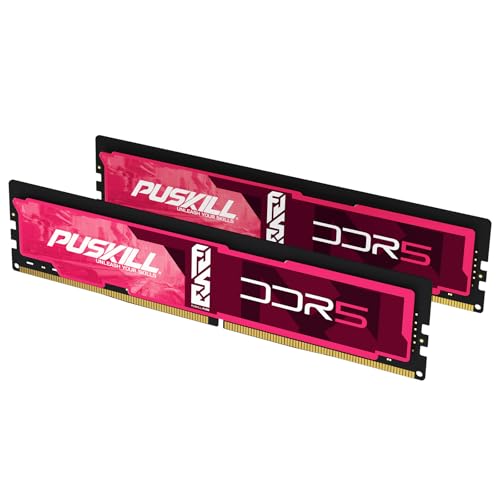


The short answer: buy a matched 32GB (2x16GB) DDR5-6000 CL30 EXPO kit for a gaming-first Ryzen 7 9800X3D build. Move to 48GB (2x24GB) if you stream, edit, or keep heavy applications open while gaming. Buy 64GB (2x32GB) only when a measured workload needs the room.
Use the live picks above, compare the full DDR5-6000 CL30 list, or open the AM5 RAM Finder if you want a platform-specific shortlist.
Quick capacity decision
| Workload | Capacity to buy | Kit shape |
|---|---|---|
| Gaming, Discord, browser | 32GB | 2x16GB |
| Gaming, streaming, light editing | 48GB | 2x24GB |
| Heavy creation, VMs, large projects | 64GB | 2x32GB |
The 9800X3D's large 3D V-Cache makes gaming less sensitive to extreme RAM speed than many non-X3D CPUs. That is a reason to buy a stable, well-priced kit rather than a reason to undersize capacity.
Official memory boundary versus the practical target
Specification check verified July 20, 2026 from AMD's product page:
| Configuration | AMD specification | What it means when buying |
|---|---|---|
| Memory channels | 2 | Four physical sticks do not create four-channel bandwidth |
| Two DIMMs | Up to DDR5-5600 officially | DDR5-6000 EXPO is an overclock, even when widely used |
| Four DIMMs | Up to DDR5-3600 officially | Filling every slot can impose a major speed penalty |
| Maximum memory | 256GB | Motherboard BIOS and QVL support can be lower |
| Profile support | AMD EXPO | Prefer an explicit EXPO profile, not an ambiguous profile claim |
This distinction prevents a common shopping mistake: motherboard marketing may advertise very high memory speeds, but it does not guarantee that every CPU, module density, and slot configuration will train at that number. The exact motherboard QVL remains the final compatibility check.
Is the CL30 premium worth paying?
Compare first-word latency before paying for the label. The simple calculation is CAS x 2000 / data rate:
| Kit | Approximate first-word latency | Buying interpretation |
|---|---|---|
| DDR5-5600 CL36 | 12.9ns | Sensible fallback when meaningfully cheaper |
| DDR5-6000 CL36 | 12.0ns | Capacity-first value option |
| DDR5-6000 CL30 | 10.0ns | Preferred gaming target at a reasonable premium |
As a practical rule, choose 6000 CL30 when it costs no more than roughly 10-15% above a comparable 6000 CL36 kit. If the premium is larger, put the difference toward the GPU, storage, or the capacity tier your workload actually needs. Check live numbers with the price-per-GB calculator rather than relying on launch MSRP.
Why DDR5-6000 CL30 EXPO is the target
AMD officially lists the 9800X3D with two memory channels, EXPO support, and up to DDR5-5600 with two DIMMs. DDR5-6000 is therefore a memory overclock, but it is the established practical AM5 target because it combines strong latency, mature BIOS support, and wide kit availability. At 6000 MT/s, CL30 has about 10ns first-word latency; check alternatives with the RAM latency calculator.
Prefer an EXPO-labelled kit and confirm its exact part number on the motherboard memory QVL. Update BIOS before enabling EXPO, then run a stability test. Our XMP and EXPO guide covers setup, while How to Test RAM Health covers verification.
Two sticks beat four
The CPU supports two memory channels, not four. Four physical modules increase electrical load without adding channels and can force a lower stable speed. AMD's official table also shows a much lower supported rate for four-DIMM configurations. If you may need 64GB later, buying 2x32GB now is cleaner than planning to add another 2x16GB kit.
Read Four-Stick DDR5 Stability before filling every slot. Never assume two separately purchased kits will behave as one validated kit; the mixing RAM guide explains why.
Worked example: gaming + OBS + browser
Replace the numbers with your own Task Manager peak, but this is a common 9800X3D mixed-use path:
| Load | Sustained committed memory (example) |
|---|---|
| Game + Discord + ~40 Chrome tabs | ~26GB |
| Same load + OBS 1080p stream | ~31–34GB |
| Add 20% headroom | ~37–41GB |
Buy 48GB (2×24GB) when that peak is normal. Stay on 32GB if gaming-only peaks stay under ~26GB with headroom. Buy 64GB only when VMs, local AI, or creator apps already exceed the mid-40GB range.
Compared with a 7800X3D build, the shopping target is the same (DDR5-6000 CL30 EXPO, two sticks). The 9800X3D does not need a higher memory bin for ordinary gaming; capacity for multitasking is the real fork.
What not to overspend on
- DDR5-7200+ for a normal gaming build: the cost and tuning risk rarely beat a better GPU or larger SSD.
- 64GB for games alone: most gaming-first systems are better served by 32GB.
- RGB instead of timings: compare final price per GB and latency, not heat-spreader styling.
- A kit missing from the QVL: it may work, but the return-window risk is yours.
- Adding a second 2×16GB kit: replace with one matched 48GB or 64GB kit instead of filling four slots.
For broader platform advice, see Best RAM for AM5 and Best RAM for Gaming. Compare capacity-specific inventory at Best 48GB DDR5 RAM and Best 64GB DDR5 RAM. Use How to Read a Motherboard QVL before checkout.
Install checklist
- 1Install the matched pair in the motherboard-recommended slots, usually A2 and B2.
- 2Update UEFI/BIOS before changing memory settings.
- 3Enable EXPO and confirm the reported speed.
- 4Run a memory stress test and several real games before the return window closes.
- 5If boot training is unusually long, use the AM5 slow-boot guide before changing hardware.