RAM Latency Calculator
Convert CAS latency and RAM speed into real nanoseconds. Compare two kits, get AM4 / AM5 / Intel guidance, then buy a live low-latency kit when you are ready.
Formula
(CAS × 2000) ÷ MT/s
Sweet spot
≤ 10 ns
Excellent
< 9 ns
Compare
2 kits at once
Shop live low-latency kits
Disclosure: As an Amazon Associate I earn from qualifying purchases. Rankings use price and spec data only — not paid placement. How we rank products

Best low-latency DDR5
Silicon Power Cyclone RGB DDR5 6000MT/s (PC5-48000) CL26 16GB Single Pack 1.45V Desktop Unbuffered DIMM SP016GXLWU60GFSM
8.67 ns · DDR5-6000 CL26 · $219.97
In stock

Best low-latency DDR4
Kingston FURY Renegade 16GB 5333MT/s DDR4 CL20 DIMM (Kit of 2) Desktop Gaming Memory - KF453C20RB2K2/16
7.50 ns · DDR4-5333 CL20 · $588.47
In stock
Platform
Sweet-spot presets
Fills Kit A with the target; Kit B gets a common slower/trap compare. URL stays shareable.
How to use this calculator
Paste or type specs
Use a preset, paste “6000 CL30”, or enter speed + CAS manually.
Read platform context
AM4 / AM5 / Intel notes and sweet-spot deltas explain Gear 2 traps.
Buy a near match
Each kit shows the closest live in-stock module for those timings.
Kit A
10.00 ns
First word latency
Peer first-word latency (160 kits)
Cycle time (tCK)
0.625 ns
Real clock freq
1600 MHz
Buy a kit near these timings
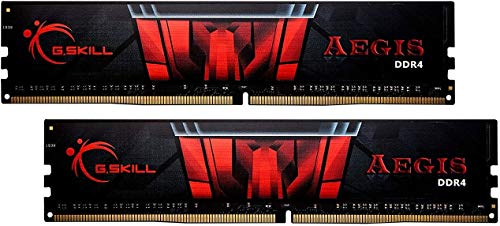
Closest live match
G.SKILL AEGIS Series DDR4 RAM (XMP) 32GB (2x16GB) 3200MT/s CL16-18-18-38 1.35V Intel AMD Desktop Computer Memory U-DIMM (F4-3200C16D-32GIS)
10.00 ns · DDR4-3200 CL16 · $204.99
In stock
Kit B
10.00 ns
First word latency
Peer first-word latency (160 kits)
Cycle time (tCK)
0.333 ns
Real clock freq
3000 MHz
Buy a kit near these timings

Closest live match
CORSAIR Vengeance RGB DDR5 RAM 32GB (2x16GB) 6000MHz CL30 Intel XMP iCUE Compatible Computer Memory - Black (CMH32GX5M2B6000C30)
10.00 ns · DDR5-6000 CL30 · $430.60
In stock
Dead heat — identical first-word latency
Both kits have the same first-word latency. Choose based on price, bandwidth, or secondary timings.
Best live low-latency kits
Disclosure: As an Amazon Associate I earn from qualifying purchases. Rankings use price and spec data only — not paid placement. How we rank products
Featured for shopping
Silicon Power Cyclone RGB DDR5 6000MT/s (PC5-48000) CL26 16GB Single Pack 1.45V Desktop Unbuffered DIMM SP016GXLWU60GFSM
8.67 ns · DDR5-6000 CL26 · $219.97
In stock
Best low-latency DDR4
Kingston FURY Renegade 16GB 5333MT/s DDR4 CL20 DIMM (Kit of 2) Desktop Gaming Memory - KF453C20RB2K2/16
7.50 ns · DDR4-5333 CL20 · $588.47
In stock
Formula
Latency (ns) = (CAS × 2000) ÷ Speed (MT/s)
Theoretical vs real latency
This calculator shows first-word latency only. AIDA64 reports 55–75 ns total system latency including controller overhead.
MT/s vs MHz
DDR4-3200 runs at 1600 MHz actual clock. Always use MT/s in the formula, not CPU-Z MHz.
How to Check Your RAM Latency
Before comparing kits, know your current RAM's actual speed and CAS latency. Values may differ from the sticker if XMP/EXPO is not enabled.
CPU-Z (recommended)
- 1.Download CPU-Z free from cpuid.com
- 2.Open it and click the Memory tab
- 3.Read "DRAM Frequency" (double it for MT/s)
- 4.Read "CAS# Latency" for your CL value
Most accurate — shows actual running values, not rated specs.
Task Manager
- 1.Press Ctrl+Shift+Esc
- 2.Click Performance, then Memory
- 3.Shows speed in MHz (double for MT/s)
- 4.Does not show CAS latency
Quick check for speed only. No CAS latency shown.
BIOS / UEFI
- 1.Restart and press Del or F2 to enter BIOS
- 2.Find Memory or OC settings
- 3.Look for XMP/EXPO profile or manual timings
- 4.CAS latency shown as first timing (e.g. 16-18-18-36)
Shows rated XMP specs. Enable XMP/EXPO to reach advertised speed.
Why CAS Latency Numbers Are Misleading
Most buyers compare RAM by CAS latency number alone — lower CL sounds better. But CL is measured in clock cycles, not time. A DDR5-6000 CL30 kit has a higher CL than DDR4-3200 CL16, yet both deliver exactly 10.00 ns of first-word latency.
The only fair comparison is nanoseconds: (CAS × 2000) ÷ Speed (MT/s). Use this calculator any time you compare kits with different speeds — especially across DDR generations.
For AMD Ryzen on AM4, DDR4-3600 is the sweet spot (~1800 MHz FCLK). On AM5, target DDR5-6000 for a 1:1 FCLK ratio. Going above often forces Gear 2 and can erase latency gains.
Platform Sweet Spots — What to Target
AMD AM4 (Ryzen 1000–5000)
DDR4-3600 CL16
8.89 ns first-word latency
Hits 1800 MHz FCLK 1:1 ratio. Best balance of latency and bandwidth for Zen 2/3.
AMD AM5 (Ryzen 7000/9000)
DDR5-6000 CL30
10.00 ns first-word latency
Hits 3000 MHz FCLK 1:1 ratio. Going above forces Gear 2 and can raise effective latency.
Intel LGA1700 / LGA1851
DDR5-6400 CL32
10.00 ns first-word latency
Intel memory controllers handle higher speeds well. Gear 2 at 6400+ is less penalizing than on AM5.
Real-World Gaming Impact
CPU-bound 1080p gaming — lower latency improves 1% lows and frame consistency more than average FPS
| RAM Kit | True Latency | 1% Low |
|---|---|---|
| DDR4-3200 CL16 | 10.00 ns | 168 |
| DDR4-3600 CL18 | 10.00 ns | 174 |
| DDR4-3600 CL16 | 8.89 ns | 185 |
| DDR4-4000 CL18 | 9.00 ns | 189 |
| DDR5-6000 CL30 | 10.00 ns | 192 |
| DDR5-6000 CL28 | 9.33 ns | 198 |
Indicative figures based on CPU-bound 1080p benchmarks. 1% lows improve more than average FPS — this is where lower latency is most noticeable.
First Word Latency Matrix
Expand for every plausible CAS × Speed combination. Collapsed by default on mobile-heavy pages.
Show
First Word Latency Matrix
Expand for every plausible CAS × Speed combination. Collapsed by default on mobile-heavy pages.
| CAS \ MT/s | 1.3k | 1.6k | 1.9k | 2.1k | 2.4k | 2.7k | 2.9k | 3.2k | 3.6k | 4k | 4.8k | 5.2k | 5.6k | 6k | 6.4k | 6.8k | 7.2k | 7.6k | 8k |
|---|---|---|---|---|---|---|---|---|---|---|---|---|---|---|---|---|---|---|---|
| CL9 | 13.5 | 11.3 | 9.6 | 8.4 | 7.5 | 6.8 | 6.1 | 5.6 | 5.0 | 4.5 | — | — | — | — | — | — | — | — | — |
| CL10 | 15.0 | 12.5 | 10.7 | 9.4 | 8.3 | 7.5 | 6.8 | 6.3 | 5.6 | 5.0 | — | — | — | — | — | — | — | — | — |
| CL11 | 16.5 | 13.8 | 11.8 | 10.3 | 9.2 | 8.3 | 7.5 | 6.9 | 6.1 | 5.5 | — | — | — | — | — | — | — | — | — |
| CL12 | 18.0 | 15.0 | 12.9 | 11.3 | 10.0 | 9.0 | 8.2 | 7.5 | 6.7 | 6.0 | — | — | — | — | — | — | — | — | — |
| CL13 | 19.5 | 16.3 | 13.9 | 12.2 | 10.8 | 9.8 | 8.9 | 8.1 | 7.2 | 6.5 | — | — | — | — | — | — | — | — | — |
| CL14 | 21.0 | 17.5 | 15.0 | 13.1 | 11.7 | 10.5 | 9.5 | 8.8 | 7.8 | 7.0 | — | — | — | — | — | — | — | — | — |
| CL15 | 22.5 | 18.8 | 16.1 | 14.1 | 12.5 | 11.3 | 10.2 | 9.4 | 8.3 | 7.5 | — | — | — | — | — | — | — | — | — |
| CL16 | 24.0 | 20.0 | 17.1 | 15.0 | 13.3 | 12.0 | 10.9 | 10.0 | 8.9 | 8.0 | — | — | — | — | — | — | — | — | — |
| CL17 | — | — | — | 15.9 | 14.2 | 12.8 | 11.6 | 10.6 | 9.4 | 8.5 | — | — | — | — | — | — | — | — | — |
| CL18 | — | — | — | 16.9 | 15.0 | 13.5 | 12.3 | 11.3 | 10.0 | 9.0 | — | — | — | — | — | — | — | — | — |
| CL19 | — | — | — | 17.8 | 15.8 | 14.3 | 13.0 | 11.9 | 10.6 | 9.5 | — | — | — | — | — | — | — | — | — |
| CL20 | — | — | — | 18.8 | 16.7 | 15.0 | 13.6 | 12.5 | 11.1 | 10.0 | — | — | — | — | — | — | — | — | — |
| CL22 | — | — | — | 20.6 | 18.3 | 16.5 | 15.0 | 13.8 | 12.2 | 11.0 | — | — | — | — | — | — | — | — | — |
| CL26 | — | — | — | — | 21.7 | 19.5 | 17.7 | 16.3 | 14.4 | 13.0 | 10.8 | 10.0 | 9.3 | 8.7 | 8.1 | 7.6 | 7.2 | 6.8 | 6.5 |
| CL28 | — | — | — | — | 23.3 | 21.0 | 19.1 | 17.5 | 15.6 | 14.0 | 11.7 | 10.8 | 10.0 | 9.3 | 8.8 | 8.2 | 7.8 | 7.4 | 7.0 |
| CL30 | — | — | — | — | 25.0 | 22.5 | 20.5 | 18.8 | 16.7 | 15.0 | 12.5 | 11.5 | 10.7 | 10.0 | 9.4 | 8.8 | 8.3 | 7.9 | 7.5 |
| CL32 | — | — | — | — | 26.7 | 24.0 | 21.8 | 20.0 | 17.8 | 16.0 | 13.3 | 12.3 | 11.4 | 10.7 | 10.0 | 9.4 | 8.9 | 8.4 | 8.0 |
| CL34 | — | — | — | — | 28.3 | 25.5 | 23.2 | 21.3 | 18.9 | 17.0 | 14.2 | 13.1 | 12.1 | 11.3 | 10.6 | 10.0 | 9.4 | 8.9 | 8.5 |
| CL36 | — | — | — | — | 30.0 | 27.0 | 24.5 | 22.5 | 20.0 | 18.0 | 15.0 | 13.8 | 12.9 | 12.0 | 11.3 | 10.6 | 10.0 | 9.5 | 9.0 |
| CL38 | — | — | — | — | 31.7 | 28.5 | 25.9 | 23.8 | 21.1 | 19.0 | 15.8 | 14.6 | 13.6 | 12.7 | 11.9 | 11.2 | 10.6 | 10.0 | 9.5 |
| CL40 | — | — | — | — | 33.3 | 30.0 | 27.3 | 25.0 | 22.2 | 20.0 | 16.7 | 15.4 | 14.3 | 13.3 | 12.5 | 11.8 | 11.1 | 10.5 | 10.0 |
| CL42 | — | — | — | — | 35.0 | 31.5 | 28.6 | 26.3 | 23.3 | 21.0 | 17.5 | 16.2 | 15.0 | 14.0 | 13.1 | 12.4 | 11.7 | 11.1 | 10.5 |
| CL46 | — | — | — | — | 38.3 | 34.5 | 31.4 | 28.8 | 25.6 | 23.0 | 19.2 | 17.7 | 16.4 | 15.3 | 14.4 | 13.5 | 12.8 | 12.1 | 11.5 |
| CL52 | — | — | — | — | 43.3 | 39.0 | 35.5 | 32.5 | 28.9 | 26.0 | 21.7 | 20.0 | 18.6 | 17.3 | 16.3 | 15.3 | 14.4 | 13.7 | 13.0 |
Values in nanoseconds (ns). Formula: (CAS × 2000) ÷ Speed (MT/s). Lower is faster.
Secondary Timings — What tRCD, tRP, and tRAS Mean
RAM labels like 16-18-18-36 show four primary timings. CL sets first-word latency; the others affect sustained access and row switching.
CL (CAS Latency)
High impactCycles from read command to first data output. Directly sets first-word latency.
tRCD
Medium impactRow to Column Delay — cycles between activating a row and reading a column.
tRP
Medium impactRow Precharge — cycles to close one row before opening another.
tRAS
Low impactRow Active Strobe — minimum cycles a row must stay active. Guideline: tRAS ≥ CL + tRCD.
Expand secondary timings in the calculator to see closed-row and row-conflict latency in nanoseconds.
Related Pages
RAM Latency FAQ
What is CAS latency in RAM?
CAS (Column Address Strobe) latency is the number of clock cycles between a memory controller issuing a read command and the RAM delivering the first bit of data. A lower CAS number means fewer cycles — but cycles happen faster at higher speeds, so the raw CL number alone does not tell you which kit is actually faster.
How do I calculate RAM latency in nanoseconds?
Use the formula: Latency (ns) = (CAS × 2000) ÷ Speed (MT/s). For example, DDR4-3200 CL16 = (16 × 2000) ÷ 3200 = 10.00 ns. DDR5-6000 CL30 = (30 × 2000) ÷ 6000 = 10.00 ns — identical real latency despite very different CL numbers.
Is lower CAS latency always better?
At the same speed, yes — lower CAS means fewer cycles before data arrives. But across different speeds, a higher CL kit can be faster in nanoseconds. DDR4-3200 CL14 (8.75 ns) is faster than DDR4-3600 CL18 (10.00 ns) despite the lower MHz. Always compare nanoseconds, not raw CL numbers.
What is first word latency?
First word latency is the time from when the memory controller requests data to when the first piece of data is available — measured in nanoseconds. It is the most practical single metric for comparing RAM responsiveness. This calculator computes exactly this value.
Does RAM latency matter for gaming?
Yes, especially for CPU-bound games and 1% low frame times. AMD Ryzen systems are particularly sensitive because the Infinity Fabric clock is tied to memory speed. On AM4, DDR4-3600 CL16 (8.89 ns) is the sweet spot. On AM5, DDR5-6000 CL30 (10.00 ns) hits the 1:1 FCLK ratio. Intel systems are generally less latency-sensitive.
Why does DDR5 have higher CAS numbers than DDR4?
DDR5 runs at much higher speeds, so each clock cycle is shorter. More cycles are needed to cover the same real time. DDR5-6000 CL30 = 10.00 ns — the same as DDR4-3200 CL16. The higher CL number is not a disadvantage; it is a consequence of the faster clock.
What is a good RAM latency in nanoseconds?
Under 9 ns is excellent (enthusiast/OC territory). 9–10 ns is great for gaming and productivity. 10–11 ns is good and covers most mainstream DDR4 and DDR5 sweet spots. Above 13 ns is high latency and generally found in entry-level or server RAM.
Can I mix RAM with different CAS latencies?
Yes, but the motherboard will run all sticks at the highest (slowest) CAS latency in the set for stability. You lose the benefit of the tighter-timed kit. For best results, always use a matched kit with identical speed and CAS ratings.
What is the best RAM latency for AMD Ryzen (AM5)?
DDR5-6000 CL30 is the AM5 sweet spot — it hits the 1:1 FCLK ratio at 3000 MHz and delivers ~10 ns latency. Going above DDR5-6000 forces Gear 2 mode on most boards, which doubles the effective latency. DDR5-6000 CL28 or CL30 is the target for Ryzen 7000/9000 builds.
What is the difference between RAM speed and RAM latency?
Speed (MT/s) determines bandwidth — how much data can move per second. Latency (ns) determines responsiveness — how quickly the first byte arrives. High bandwidth helps with large sequential transfers (video editing, large file loads). Low latency helps with random access patterns (gaming, OS responsiveness). The best RAM balances both.
How do I check my RAM CAS latency in Windows?
The easiest way is CPU-Z (free download) — open it, click the Memory tab, and look for "CAS# Latency". Task Manager shows memory type and speed but not CAS. You can also check your BIOS under the memory settings or XMP/EXPO profile. Note that RAM often runs at JEDEC defaults until XMP/EXPO is enabled, so the BIOS may show a lower speed than the kit is rated for.
What is the best CAS latency for DDR5 RAM?
For DDR5-6000, CL30 is the sweet spot — it delivers 10.00 ns and hits the AM5 1:1 FCLK ratio. CL28 at DDR5-6000 gives 9.33 ns and is the enthusiast target. For DDR5-5600, CL36 is common (12.86 ns) but CL28 (10.00 ns) is significantly better if available at a reasonable price. Avoid DDR5-4800 CL40 (16.67 ns) — it is the slowest mainstream DDR5 configuration.
What is the best RAM latency for AMD Ryzen 7800X3D and 9800X3D?
The 7800X3D and 9800X3D use 3D V-Cache which reduces the CPU's sensitivity to memory latency compared to standard Ryzen. However, DDR5-6000 CL30 remains the recommended target — it hits the 1:1 FCLK ratio and avoids Gear 2 mode. Some users report diminishing returns from tighter timings on these CPUs compared to non-3D variants, making DDR5-6000 CL30 the best value choice.
How do I benchmark my RAM latency with AIDA64?
Open AIDA64, go to Tools, then Memory Benchmark. Click Start Benchmark. The result shows read/write/copy bandwidth in MB/s and memory latency in nanoseconds. Typical results: tuned DDR4 systems show 55–65 ns, early DDR5 systems show 60–75 ns. These numbers are much higher than the first-word latency this calculator shows because AIDA64 measures the full round-trip including memory controller overhead.
Does faster RAM speed always mean lower latency?
No — and this is the most common RAM buying mistake. Higher MT/s shortens each clock cycle, but manufacturers also increase the CAS number to match. DDR4-3200 CL16 and DDR4-3600 CL18 both produce 10.00 ns. DDR5-4800 CL40 (16.67 ns) is actually slower than DDR4-3200 CL16 (10.00 ns) despite being a newer generation at higher speed. Always calculate nanoseconds before comparing.