
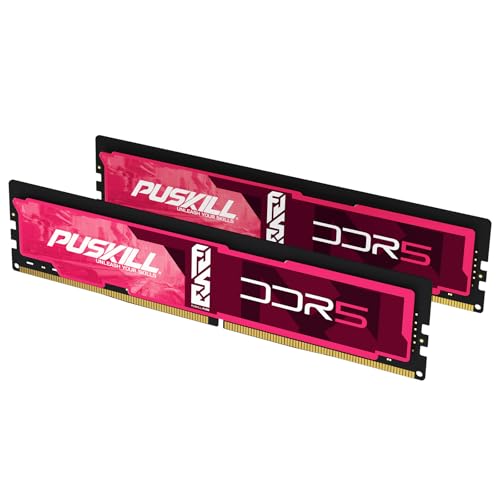


The short answer: the Core i7-14700K supports DDR5 or DDR4, but the motherboard decides which generation you can install. On a DDR5 board, buy a matched 32GB (2x16GB) DDR5-6000 XMP kit for most gaming builds. On a DDR4 board, buy 32GB (2x16GB) DDR4-3600 CL16. Move to 48GB or 64GB only when multitasking or creation needs the room.
Use the live picks above. Compare DDR5-6000 CL30, Best 32GB DDR5, or DDR4-3600 CL16 once you know the board generation. Filter with the RAM Finder.
Quick buying decision
| Board memory | Gaming default | Mixed use | Creator / VMs |
|---|---|---|---|
| DDR5 LGA1700 | 32GB 2x16GB DDR5-6000 XMP | 48GB 2x24GB DDR5-6000 | 64GB 2x32GB DDR5-6000 |
| DDR4 LGA1700 | 32GB 2x16GB DDR4-3600 CL16 | 32–64GB DDR4-3600 | 64GB 2x32GB DDR4-3600 |
Confirm the motherboard memory type before shopping. DDR4 and DDR5 modules are not interchangeable on the same board. Retailer CPU pages often list both generations; that describes CPU capability, not a single motherboard SKU.
Board-first decision tree
- 1Open the motherboard box/manual and find DDR4 or DDR5 (silk-screen near the slots also helps).
- 2If DDR5 → shop DDR5-6000 CL30 / XMP kits; ignore DDR4 listings.
- 3If DDR4 → shop DDR4-3600 CL16; ignore all DDR5 ASINs.
- 4If you are still choosing a board → pick the generation intentionally; do not assume “14700K = always DDR5.”
- 5Upgrading later to Core Ultra / LGA1851? That is a new socket — see Core Ultra RAM prices, not a drop-in RAM change.
| You already own | Buy now | Do not buy |
|---|---|---|
| B760/Z790 DDR5 board | 32GB DDR5-6000 XMP | DDR4 kits |
| B760/Z790 DDR4 board | 32GB DDR4-3600 CL16 | DDR5 kits |
| No board yet | Decide DDR5 for longevity or DDR4 for reuse of old kits | Mixed carts “just in case” |
Compare DDR5 speed value on LGA1700 with DDR5-5600 vs 6000.
Why DDR5-6000 on DDR5 boards
Intel lists DDR5-5600 as the official high-water mark for this CPU. DDR5-6000 XMP is therefore a practical overclock, not a stock guarantee, but it is the common retail sweet spot for LGA1700 gaming builds when the exact kit is QVL-listed. On DDR4 boards, stay with DDR4-3600 CL16 rather than chasing exotic bins.
Official memory boundary versus the practical target
Specification check verified July 22, 2026 from Intel's Core i7-14700K page:
| Intel specification | Purchase consequence |
|---|---|
| Memory types | Up to DDR5-5600 MT/s and up to DDR4-3200 MT/s |
| Maximum memory | 192GB (board/BIOS can be lower) |
| Memory channels | 2 — prefer one matched pair |
| Platform | LGA1700 / Raptor Lake Refresh; 600- and 700-series boards may support either DDR4 or DDR5, not both on one PCB |
Official JEDEC-class ratings are not the same as retail XMP targets:
| Path | Official baseline | Practical retail target |
|---|---|---|
| DDR5 board | DDR5-5600 | DDR5-6000 XMP (overclock; QVL-check) |
| DDR4 board | DDR4-3200 | DDR4-3600 CL16 (overclock; QVL-check) |
Faster DDR5-6400+ kits can work on strong two-DIMM boards, but they are not the universal default. Capacity, two-stick layout, and an exact QVL match matter more than the largest MT/s on the box. Compare latency with the RAM latency calculator.
Capacity decision
- 32GB: best gaming default for Discord, launchers, browser, and modern titles.
- 48GB: useful when streaming or light creation regularly pushes past 32GB.
- 64GB: buy when editing, VMs, or large project sets already need the headroom.
Do not fill four slots to upgrade later. Replace a 2x16GB kit with one matched 2x24GB or 2x32GB kit instead. See Four-Stick DDR5 Stability and mixing RAM.
QVL warning
Retail XMP profiles sit above Intel's official DDR5-5600 / DDR4-3200 baselines. Treat the motherboard QVL as the final compatibility check for the exact part number, capacity, and slot count. A kit can POST and still fail under load. Update BIOS before enabling XMP, then validate with a memory test inside the retailer return window. Lookup workflow: How to Read a Motherboard QVL.
Common mistakes
- Buying the wrong generation for the board: check DDR4 versus DDR5 silk-screen and manual first.
- Assuming the CPU takes both in one system: the CPU is dual-capable; each motherboard is one generation.
- Four DIMMs for maximum advertised XMP: expect harder training and often a lower stable profile.
- Paying for extreme DDR5 frequency before finishing GPU or capacity budget.
- Skipping the QVL: XMP is convenient overclocking, not a guarantee.
Install checklist
- 1Identify whether the board is DDR4 or DDR5.
- 2Choose 32GB, 48GB, or 64GB from real peak use.
- 3Verify the full kit part number on the motherboard QVL.
- 4Install two modules in the recommended slots.
- 5Update BIOS, enable XMP, confirm speed, and run a memory test (XMP and EXPO guide, How to Test RAM Health).
Bottom line
On DDR5 boards, buy 32GB (2x16GB) DDR5-6000 XMP for most 14700K gaming builds. On DDR4 boards, buy 32GB (2x16GB) DDR4-3600 CL16. Step up capacity only for measured multitasking needs, keep two sticks, and confirm the board generation before you click Buy.
Related: Best RAM for Gaming, Core Ultra RAM prices for newer LGA1851 desktops, Best 32GB DDR5.