

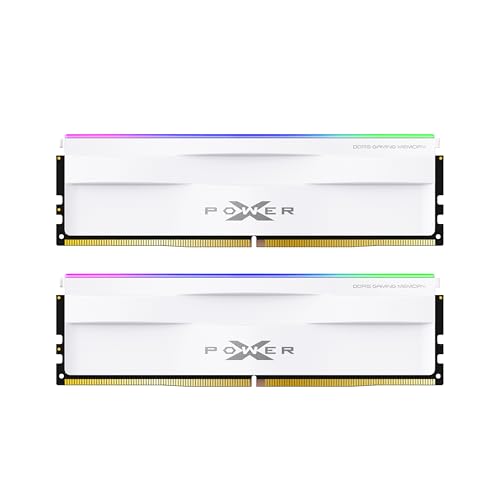


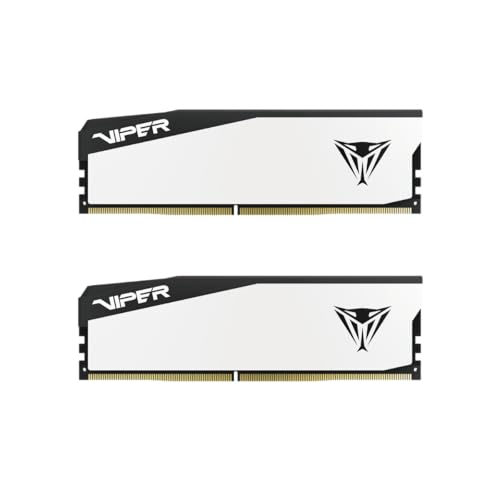
Bottom line up front: Prefer a matched two-stick dual-rank kit when capacity and value line up — especially 32GB (2×16GB) dual-rank DDR5 on gaming PCs. Dual-rank can improve effective bandwidth via rank interleaving. Single-rank denser modules (for example some 2×32GB kits) are still the right buy when you need 64GB in two slots. Rank is a secondary filter after platform speed, capacity, and QVL.
Shop live dual-channel kits on Best 32GB DDR5 RAM and the DDR5-6000 CL30 landing. Spec check date: July 22, 2026.
Quick buy decision
| Your goal | Prefer | Why |
|---|---|---|
| 32GB gaming (AM5 or mainstream Intel) | 2×16GB dual-rank when available | Rank interleaving + dual-channel |
| 64GB creators / AI / VMs | 2×32GB (often dual-rank density) | Two sticks beat four single-rank 16GB sticks |
| Max profile speed on a picky CPU | QVL-listed single- or dual-rank kit that trains cleanly | Rank load can limit extreme MT/s |
| Four populated DIMM slots | Avoid unless capacity forces it | Two ranks × two DIMMs per channel is a hard load |
Gaming context: Best RAM for Gaming. AM5 defaults: Best RAM for AM5.
What “rank” means on a DIMM
A rank is a set of DRAM chips the memory controller can address as one 64-bit (plus ECC) group. The controller can only access one rank at a time, but it can interleave work across ranks on the same channel — which often raises effective bandwidth versus a single-rank module of the same capacity.
| Label you may see | Typical meaning | Buyer note |
|---|---|---|
| Single-rank (1R) | One rank of chips per module | Often easier at very high MT/s |
| Dual-rank (2R) | Two ranks per module | Often stronger at mainstream speeds / same capacity |
| “High density” 16Gb ICs | Chip density, not the same as rank | Still check 1R vs 2R on the data sheet |
Retail titles rarely print rank. Use the manufacturer data sheet, SPD tools, or board QVL columns after purchase planning.
Dual-rank vs single-rank for gamers
On AMD AM5, the practical speed target remains DDR5-6000 CL30 EXPO with UCLK:MCLK 1:1. Within that band, a dual-rank 2×16GB kit is frequently the best gaming shape: dual-channel plus rank interleaving without four-slot training pain.
On Intel 12th–14th gen and Core Ultra desktops, dual-rank 2×16GB kits at 6000–6400 are likewise the sensible default. Extreme bins (7200+) may prefer lighter rank loads — but most gamers should not pay that premium. See Is DDR5-7200 Worth It?.
Compare true latency before paying for a “faster” single-rank bin:
True latency (ns) = (CL ÷ MT/s) × 2000
Use the RAM latency calculator. A dual-rank DDR5-6000 CL30 kit at ~10.0 ns usually beats a loose single-rank JEDEC baseline in games.
Capacity and rank interact
| Target capacity | Cleaner path | Riskier path |
|---|---|---|
| 32GB | 2×16GB (often dual-rank) | 4×8GB |
| 64GB | 2×32GB | 4×16GB |
| 96GB | 2×48GB when QVL-supported | 4×24GB |
Four sticks raise DIMMs-per-channel load; dual-rank modules raise rank load. Stacking both is why many “4×16GB dual-rank” builds fail EXPO/XMP. Prefer capacity via two denser sticks. Details: Four-Stick DDR5 Stability.
Official AMD and Intel memory tables often list lower supported speeds for four DIMMs and for dual-rank populations — those are JEDEC support floors, not hard caps on every overclocked kit, but they explain why rank matters on the QVL.
Sources: AMD Ryzen 7 9800X3D specifications, Intel Core Ultra 9 285K specifications.
When single-rank wins the cart
Buy single-rank (or accept whatever rank the QVL kit uses) when:
- 1You need a specific high XMP/EXPO bin and the board QVL lists that exact 1R kit.
- 2You already failed training with denser 2R modules at the same speed.
- 3You are filling four slots and must minimize load (still better to drop to two sticks).
- 4Laptop SODIMMs — rank options are limited; follow the service manual, not desktop gaming lore.
Do not reject a well-priced, QVL-matched kit solely because a review site preferred the other rank last year.
Shopping checklist
- 1Fix platform target first (AM5 → 6000 CL30 EXPO; Intel → 6000–6400 XMP).
- 2Fix capacity (32GB vs 64GB) as two sticks.
- 3Prefer dual-rank 2×16GB for 32GB gaming when the price gap is small.
- 4Match the full kit part number on the motherboard QVL.
- 5Enable the profile and stress-test before the return window closes — How to Test RAM Health.
- 6Verify live $/GB on Best RAM Deals; ignore stale dollar screenshots.
Bottom line
Rank is a tie-breaker, not the primary buy rule. For most 2026 gaming PCs, a dual-rank 2×16GB DDR5-6000 CL30 kit is the shape to hunt. For 64GB, buy 2×32GB and stop worrying about rank marketing. Confirm QVL, enable EXPO/XMP, and spend leftover budget on the GPU.