

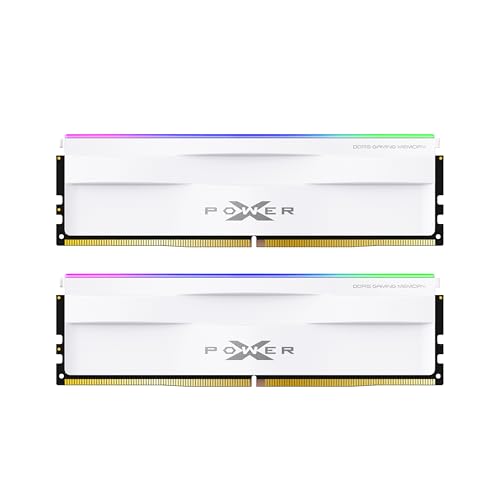


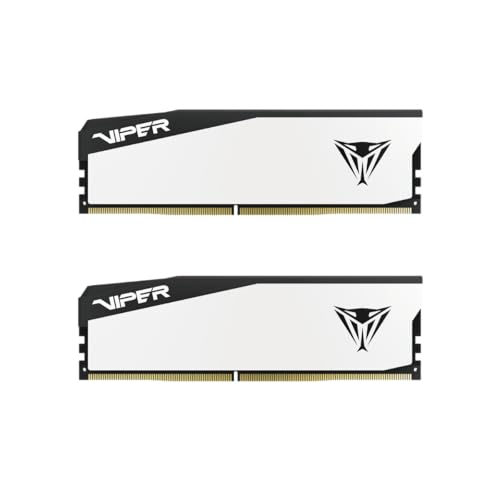
Bottom line up front: Shop for kits that ship with the right profile for your CPU — EXPO on AMD AM5, XMP on Intel — then enable that profile after BIOS update. JEDEC is the safe baseline speed your board uses until a profile loads. Buying “DDR5-6000” without enabling XMP/EXPO often leaves you stuck near JEDEC (~4800–5600). This page is a buy-decision guide; for click-path BIOS steps, use the XMP and EXPO BIOS guide.
Compare live profile-capable kits on DDR5-6000 CL30, DDR5-6400, and Best RAM Deals. Spec check date: July 22, 2026.
One-screen decision table
| You have | Buy / enable | Avoid paying for |
|---|---|---|
| AMD Ryzen 7000 / 9000 (AM5) | Matched kit with EXPO; enable EXPO | Intel-only marketing bins with no EXPO validation |
| Intel 12th–14th gen or Core Ultra desktop | Matched kit with XMP 3.0; enable XMP | Assuming the box speed runs without XMP |
| Troubleshooting instability | Boot JEDEC defaults first | Stacking manual voltages on a failed profile |
| Dual-profile kit (XMP + EXPO) | Enable the profile matching the CPU vendor | Enabling the “other” profile out of curiosity |
Platform defaults: Best RAM for AM5, Best RAM for Gaming.
What each label actually means
| Mode | Who defines it | What it does for buyers | Stability expectation |
|---|---|---|---|
| JEDEC | Industry standard timings/speeds | Conservative boot defaults | Highest chance of POST |
| Intel XMP | Intel Extreme Memory Profile | Loads kit frequency, timings, voltage | Overclock — must validate |
| AMD EXPO | AMD Extended Profiles for Overclocking | AMD-oriented one-click profile | Overclock — must validate |
Intel describes XMP as memory overclocking on compatible DDR4/DDR5. AMD describes EXPO the same way for Ryzen platforms and publishes tested-memory guidance.
Sources: Intel XMP configuration guidance, Intel RAM overclocking guide, AMD EXPO technology.
Why the Amazon title is not the running speed
Most DDR5 kits advertise their profile speed (for example 6000 CL30). Out of the box, SPD often exposes a lower JEDEC entry so the board can train safely. Until you enable XMP or EXPO:
- Task Manager / CPU-Z may show ~4800–5600 MT/s
- You paid for bandwidth you are not using
- Reviews comparing “6000 kits” assume the profile is on
Buy rule: treat the printed MT/s as “available after profile + validation,” not as guaranteed stock speed.
Shopping rules by platform
AMD AM5
- 1Prefer kits that list EXPO (many also include XMP — still enable EXPO on Ryzen).
- 2Target DDR5-6000 CL30 for UCLK:MCLK 1:1 value.
- 3Skip expensive 7200+ bins for everyday gaming — see Is DDR5-7200 Worth It?.
- 4Two sticks beat four for profile success — Four-Stick DDR5 Stability.
Intel desktops
- 1Prefer XMP 3.0 DDR5 kits matched to the board QVL.
- 2Practical gaming band: 6000–6400 UDIMM for most boards.
- 3Extreme 7200–8000 often implies CUDIMM and stronger cooling/BIOS support — CUDIMM guide.
- 4Core Ultra builders: Best RAM for Core Ultra 285K.
Legacy DDR4
XMP (or AMD DOCP/EOCP vendor names) still applies. JEDEC DDR4 defaults are slower than a tuned 3600 CL16 kit on AM4 — Best RAM for AM4.
JEDEC as a troubleshooting tool (buy implication)
If a kit will not hold XMP/EXPO, JEDEC boots are how you prove the modules are not dead. That matters for returns: a stick that fails at JEDEC is defective or incompatible; a stick that only fails at profile speed may still be returnable as “does not meet advertised performance on my board,” depending on retailer policy — see Amazon RAM return guide.
Before blaming the kit:
- 1Update BIOS.
- 2Confirm two sticks in the recommended slots.
- 3Match the full part number on the QVL.
- 4Test with How to Test RAM Health.
Dual-profile kits: what to enable
| CPU | Enable | Leave alone |
|---|---|---|
| Ryzen AM5 | EXPO profile 1 | XMP unless EXPO missing |
| Intel desktop | XMP profile 1 | EXPO unless XMP missing |
| Either, first diagnosis | Disabled (JEDEC) | Manual timing experiments |
BIOS click-paths differ by vendor — follow XMP / EXPO BIOS Guide rather than memorizing ASUS vs MSI menu names.
Buying checklist
- 1Confirm DDR4 vs DDR5 and desktop vs laptop form factor.
- 2Choose capacity first (usually 32GB or 64GB as two sticks).
- 3Require the profile logo that matches your CPU (EXPO or XMP).
- 4Verify QVL + BIOS version.
- 5Plan time to enable the profile and stress-test inside the return window.
- 6Compare live listings — no fixed dollar targets in a tight DRAM market — Why are RAM prices so high?.
Bottom line
JEDEC boots the PC; XMP/EXPO unlocks the speed you bought. Shop the profile that matches your platform, enable it once, and validate. For setup steps, open the XMP and EXPO BIOS guide; for kits, start at DDR5-6000 CL30.