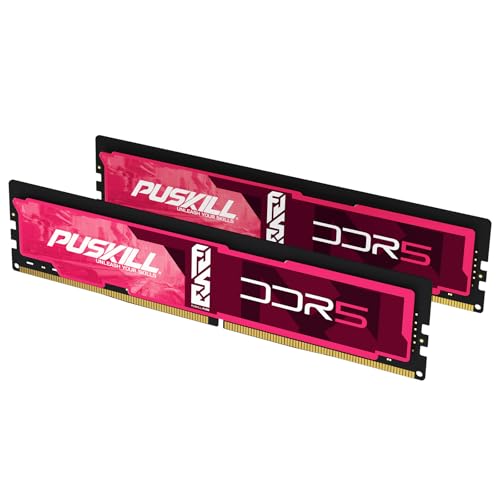


For a new DaVinci Resolve workstation, 32GB is the practical starting point and 64GB is the best default for regular 4K editing, Fusion, and multitasking. Buy 96GB when monitoring shows that large Fusion compositions, high-resolution projects, or concurrent creative apps exceed 64GB.
The live products above are desktop DDR5 capacity picks. Confirm your system generation and form factor before buying; a DDR5 UDIMM will not fit a DDR4 board or laptop SODIMM slot.
Quick capacity decision
| Workflow | Recommended RAM | Why |
|---|---|---|
| Learning, basic cuts, lighter HD or 4K | 32GB | Sensible floor for a new desktop |
| Regular 4K, color, Fusion, multicam | 64GB | More cache and application headroom |
| Heavy Fusion, 6K/8K, several apps | 96GB | Useful when measured demand exceeds 64GB |
Compare current 32GB DDR5, 64GB DDR5, and 96GB DDR5 options.
What Blackmagic officially requires
Blackmagic release requirements have listed 16GB of system memory on Windows and 32GB when using Fusion. Those are minimum-oriented requirements, not a promise that every professional project will fit comfortably. Project resolution, codecs, effects, Fusion nodes, open projects, and background applications all change demand.
This guide therefore separates the official floor from a buyer recommendation: 32GB is a viable entry tier, while 64GB is the lower-friction choice for a workstation expected to handle varied paid work.
Sources: Blackmagic Design Resolve and Fusion support, official DaVinci Resolve release requirements, and the Fusion manual.
Why Fusion changes the answer
Resolve editing and color work can be comfortable in less memory than a complex Fusion composition. Fusion uses RAM for frames, tools, and caches, and heavy compositions can consume available memory quickly. More capacity can preserve a longer working set and reduce pressure on disk-backed caches.
That does not make 96GB automatic. Open the same representative project, play the demanding section, and watch committed memory in Task Manager or Activity Monitor. If peak usage stays comfortably below 64GB, extra capacity is unlikely to change the experience.
Edit, Color, and Fusion do not stress memory equally
| Resolve work | RAM pressure | What to prioritize |
|---|---|---|
| Straight cuts and basic editing | Low to moderate | 32GB capacity, fast media storage |
| Color grading with several nodes | Moderate | 32GB-64GB plus a capable GPU |
| Fusion titles and motion graphics | Moderate to high | 64GB and measured cache headroom |
| Complex Fusion or several open apps | High | 64GB-96GB when monitoring confirms it |
Resolution alone does not decide the capacity. A simple 8K timeline can use less system RAM than a complex 4K Fusion composition with large source assets and several concurrent applications.
Is RAM actually the bottleneck?
| Symptom | More likely bottleneck | What to check before buying RAM |
|---|---|---|
| Memory use is near the installed limit and the OS swaps | System RAM | Peak committed memory during the real project |
| GPU memory warning or effect failure | GPU VRAM | Resolve GPU memory use and project settings |
| Choppy playback while RAM remains available | Codec, CPU, GPU, or storage | Proxies, decode load, and drive throughput |
| Slow cache generation but smooth cached playback | CPU, GPU, or cache drive | Render Cache location and hardware utilization |
| Fusion crashes only on one composition | Project, plugin, VRAM, or RAM | Simplify nodes and inspect logs before replacing hardware |
System RAM and GPU VRAM are separate pools on most desktop workstations. Adding system memory does not increase dedicated GPU VRAM. Blackmagic posts current releases and platform downloads on its Resolve support center.
If After Effects also runs beside Resolve, include its memory use in the same workstation budget: Best RAM for After Effects.
Capacity first, then speed
A workstation that runs out of RAM will slow down far more than one using a slightly slower but stable kit. Follow this order:
- 1Buy enough capacity for the heaviest project that runs regularly.
- 2Use a matched two-stick kit where possible.
- 3Select a stable speed appropriate for the CPU platform.
- 4Check the exact kit against the motherboard QVL.
- 5Enable XMP or EXPO only after the system is stable at defaults.
On AM5, a DDR5-6000 EXPO kit is a practical target. On modern Intel systems, a QVL-listed XMP kit near the platform-supported range is sensible. Both profiles are memory overclocking and should be tested.
When 64GB is the sweet spot
Choose 64GB if two or more of these are normal:
- 4K timelines with Fusion titles or effects
- multicam projects and large media pools
- Resolve plus Photoshop, After Effects, browser references, or audio tools
- switching between multiple open projects
- background encoding, proxies, or developer tools
Use 2x32GB instead of 4x16GB when possible. It leaves less load on the memory controller and a simpler stability path.
When 96GB is justified
A 2x48GB kit is a strong high-capacity option when 64GB is demonstrably tight. It can suit complex Fusion work, 6K/8K material, very large stills, concurrent Adobe tools, or local AI alongside Resolve. It is not a universal performance upgrade for simple timelines.
If your platform needs ECC UDIMM or RDIMM, the consumer kits above are not substitutes. Use the server RAM guide and the system memory population manual.
Pre-purchase checklist
- Confirm DDR4 versus DDR5 and desktop UDIMM versus laptop SODIMM.
- Confirm maximum supported capacity and module density.
- Search the QVL using the complete manufacturer part number.
- Prefer one matched 2x kit rather than combining kits.
- Check cooler clearance for tall heat spreaders.
- Test the installed memory with a representative project and a dedicated memory test.
If Premiere is also central to the workflow, compare the Best RAM for Adobe Premiere, Best RAM for Blender, and Best RAM for Unreal Engine 5 guides rather than assuming both applications scale identically.
Bottom line
Buy 64GB (2x32GB) for a serious mixed Resolve and Fusion workstation. Choose 32GB for lighter work and 96GB only when actual projects exceed 64GB. Stable capacity beats a headline memory speed.