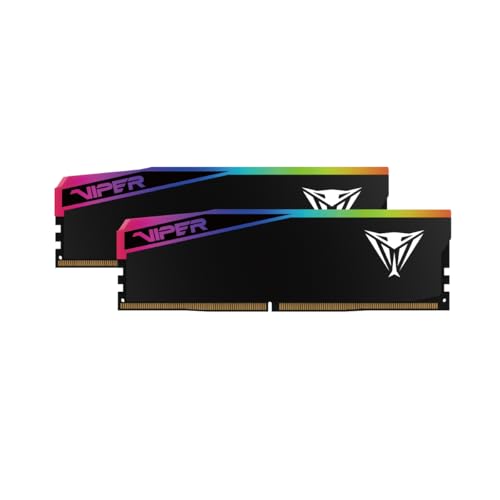


For a straightforward TrueNAS home server, 16GB to 32GB is a sensible starting range. Choose 64GB when the box also runs apps, virtual machines, iSCSI, directory services, or a larger cache plan. Move to 96GB or more only after budgeting those services explicitly.
The live section above separates consumer desktop DDR5 UDIMMs from an ECC/server-memory path. Neither path is universal: a server that specifies ECC UDIMM or RDIMM needs that exact module class, and the categories cannot be substituted or mixed.
Quick sizing table
| TrueNAS use | Practical capacity | Notes |
|---|---|---|
| Basic home NAS, up to eight drives | 16GB-32GB | Above the 8GB minimum with working headroom |
| NAS plus apps, directory services, or light VMs | 32GB-64GB | Budget every service |
| iSCSI, several VMs, heavier apps, larger caches | 64GB-96GB | Measure active demand |
| Deduplication or enterprise storage | Workload-specific | Follow current TrueNAS and hardware-vendor guidance |
Compare 64GB DDR5 kits, 96GB DDR5 kits, or compatible ECC and server memory.
Choose the correct shopping path first
The two live purchase paths above are intentionally separate:
| Your platform requires | Shop this path | Do not substitute |
|---|---|---|
| Consumer non-ECC DDR5 UDIMM | Consumer capacity grid | ECC RDIMM or laptop SODIMM |
| ECC DDR5 UDIMM | Server-memory path filtered to ECC UDIMM | RDIMM, even though both use ECC |
| DDR4 or DDR5 RDIMM | Server-memory path and OEM qualification list | Consumer UDIMM |
| Vendor-specific appliance memory | Exact OEM part or approved equivalent | Generic module with similar headline specs |
If the server manual does not explicitly identify the module class, stop before checkout. Physical fit does not prove electrical or firmware compatibility.
Start with current TrueNAS guidance
The current TrueNAS SCALE hardware guide specifies at least 8GB of RAM for basic operation. Detailed guidance adds memory for drives beyond eight and for directory services, apps, virtual machines, deduplication, and L2ARC.
Important planning figures from TrueNAS include:
- add roughly 1GB per drive after eight drives
- add around 2GB for directory services
- budget the full assigned memory for each VM and app
- deduplication can need about 5GB per TB of deduplicated data
- L2ARC metadata can consume roughly 1GB of RAM per 50GB of L2ARC
These are planning rules, not permission to allocate every installed gigabyte. Leave headroom for the operating system and changing workloads.
Sources: TrueNAS SCALE 26 hardware guide and detailed TrueNAS SCALE hardware guidance.
Worked RAM budgets
Use these as planning examples, then replace every placeholder with the services that will actually run.
Storage-first home NAS (numeric example)
| Line item | Planning figure |
|---|---|
| TrueNAS / ZFS baseline | 8GB |
| Drives beyond eight (example: 12 drives → +4GB) | 4GB |
| Safety / client headroom | 8GB |
| Subtotal | 20GB |
Buy 32GB for a flexible new home NAS. 16GB can run a basic system but leaves less room for growth.
NAS plus apps and directory services (numeric example)
| Line item | Planning figure |
|---|---|
| Baseline + drive allowance from above | 20GB |
| Directory services | 2GB |
| Apps (example: two apps @ 2GB each) | 4GB |
| Extra ARC / concurrent clients | 8GB |
| Subtotal | 34GB |
Buy 64GB when the calculated total lands near or above 32GB with services that will grow. Stay on 32GB only if the real service list is smaller and you recheck after deployment.
TrueNAS with VMs (numeric example)
| Line item | Planning figure |
|---|---|
| Baseline + drives + directory services | 22GB |
| Two VMs assigned 8GB each (full allocation) | 16GB |
| iSCSI / backup headroom | 4GB |
| Safety margin | 5GB |
| Subtotal | 47GB |
Buy 64GB. TrueNAS guidance calls for at least 16GB for good iSCSI VM-backup performance and 32GB or more for stronger performance; the VM allocations above push a 64GB purchase.
Deduplication or large L2ARC
Do not enable these features and then guess. TrueNAS documents substantial deduplication memory (about 5GB per TB of deduplicated data) and notes that L2ARC metadata also consumes ARC (roughly 1GB RAM per 50GB L2ARC). Size from current documentation, or leave the features out.
Does TrueNAS require ECC?
No. TrueNAS strongly recommends ECC for systems where data integrity matters, but ECC is not a software requirement. The more important purchase rule is platform compatibility:
- consumer boards normally use non-ECC UDIMM
- some workstation and server boards use ECC UDIMM
- many server platforms require RDIMM
- UDIMM and RDIMM must not be mixed
ECC only functions when the CPU, motherboard, firmware, and module type all support it. A module listing that says ECC does not make an incompatible consumer board an ECC system.
Use the ECC and Server Memory Guide before buying, and check the server or motherboard population manual rather than a generic marketplace title.
16GB to 32GB: basic home NAS
This range suits file storage, snapshots, shares, and a modest number of drives. 32GB gives more ARC and service headroom without turning a basic NAS into an expensive workstation. It is the best default for builders who expect a few apps but do not run several VMs.
64GB: mixed-service sweet spot
Choose 64GB when TrueNAS also hosts containers or apps, directory services, iSCSI targets, media services, or virtual machines. Build a simple budget:
- 1Reserve memory for TrueNAS and ZFS.
- 2Add every VM allocation that can run simultaneously.
- 3Add app and directory-service needs.
- 4Add any dedup or L2ARC budget.
- 5Keep safety headroom.
If that total remains below 32GB, buying 64GB may not improve performance. If it approaches 32GB, 64GB prevents a quick second purchase.
ARC, L2ARC, and the more-RAM myth
ZFS uses available RAM for ARC, so high memory use is not automatically a problem. Look for service pressure, swapping, or a workload that cannot keep its useful working set—not an empty-RAM target.
L2ARC is a secondary read cache on storage. It is not a substitute for adequate RAM because ARC remains faster and must hold metadata describing L2ARC contents. TrueNAS recommends adding L2ARC only for workloads that benefit from repeated random reads and after considering its RAM overhead.
Source: TrueNAS L2ARC documentation.
96GB and beyond
A 2x48GB consumer kit can be useful on a compatible desktop NAS that runs many services. Server platforms may instead require matched ECC RDIMMs in a documented population order. Capacity support, rank limits, and DIMMs per channel vary, so never infer compatibility from the physical notch alone.
Buying checklist
- Confirm DDR generation and UDIMM versus RDIMM.
- Confirm ECC support end to end.
- Check maximum capacity, module density, and population order.
- Prefer matched modules from the system QVL.
- Do not combine old and new kits for critical storage.
- Run a long memory test before moving irreplaceable data.
- Keep independent backups; ECC and ZFS are not backups.
Use How to Test RAM Health before deployment and Buying Used RAM Safely if considering enterprise pulls.
Bottom line
Choose 32GB for a straightforward home NAS and 64GB for TrueNAS plus apps, VMs, iSCSI, or extra cache plans. Treat 96GB as a measured service-capacity decision. Match consumer UDIMM, ECC UDIMM, or RDIMM to the exact platform before purchase.