

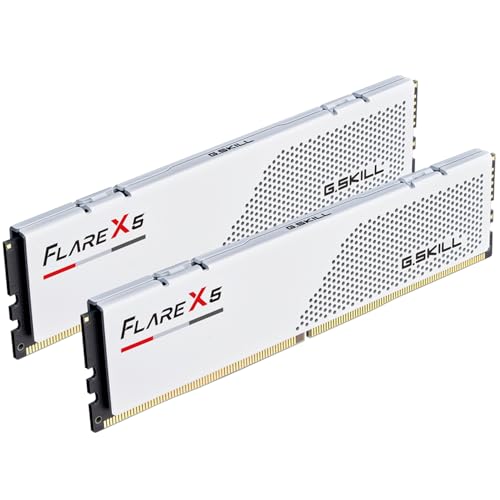
The short answer: pair the Ryzen 9 9950X3D2 with a matched DDR5-6000 EXPO kit. Buy 32GB for a gaming-first machine, 64GB for the most balanced creator/developer workstation, or 96GB when large projects, VMs, local AI, and content applications already exceed 64GB.
The live shortlist above keeps a buy path ahead of the detail. You can also compare 64GB DDR5 kits, 96GB DDR5 kits, or use the AM5 creator RAM Finder.
Pick capacity from the workload
| Primary use | Recommended capacity | Matched kit |
|---|---|---|
| Gaming and everyday work | 32GB | 2x16GB |
| Editing, development, containers | 64GB | 2x32GB |
| Local AI, large VMs, heavy Adobe work | 96GB | 2x48GB |
The 9950X3D2 combines 16 cores, 32 threads, and a large dual-die cache design. That makes it attractive for mixed gaming and production, but the CPU name does not automatically justify 96GB. Open your largest real project and measure committed memory. Capacity that sits unused does not make the processor faster.
Confirm you are shopping for the 9950X3D2
AMD announced the Ryzen 9 9950X3D2 Dual Edition in April 2026. It is a distinct AM5 processor from the earlier Ryzen 9 9950X3D, so search results, compatibility lists, and retailer titles can mix the two names.
| Check | 9950X3D2 buying implication |
|---|---|
| CPU identity | Confirm the listing and motherboard CPU-support page explicitly say 9950X3D2 |
| Core layout | 16 cores / 32 threads supports mixed creator and developer work, but does not set RAM capacity by itself |
| Cache | AMD lists 208MB total cache; extra cache does not replace system memory for datasets, VMs, or application state |
| Socket | AM5, so DDR5 and current BIOS support are required |
| Memory plan | Prefer one matched two-stick kit and validate 48GB module density before choosing 96GB |
Update the motherboard BIOS before installing or enabling EXPO. A board can physically accept the CPU and RAM while an older firmware revision still lacks the training improvements needed for a dense 2x48GB kit.
Build a capacity budget instead of guessing
Use the largest set of applications that will run at the same time:
- 1Record peak committed memory during the heaviest real project.
- 2Add the memory reserved for VMs, containers, or local-model offload that will run concurrently.
- 3Add 15-20% operating headroom so brief spikes do not force paging.
- 4Choose the next standard matched-kit capacity above that result.
Example: a creator workload peaking at 38GB plus a 12GB development VM totals 50GB. Adding 20% headroom produces 60GB, making 64GB the correct purchase. A 96GB kit becomes justified when the same calculation exceeds roughly 64GB, not simply because the CPU is the flagship model.
| Calculated concurrent need | Capacity to buy |
|---|---|
| Up to about 27GB | 32GB |
| About 28-54GB | 64GB |
| About 55-82GB | 96GB |
| Above about 82GB | Recalculate for 128GB or a workstation platform |
Why DDR5-6000 instead of the biggest number
For AM5, DDR5-6000 remains the practical performance and stability target. Lower-latency EXPO kits are widely available, motherboard firmware is mature, and two-stick configurations are easier on the memory controller. Faster kits are memory overclocks whose result depends on the individual CPU, board topology, BIOS, and module density.
Use the DDR5-6000 CL30 page to compare live value, then check the motherboard QVL for the exact part number. If CL30 is expensive or unavailable at 64GB or 96GB, a stable CL32 or CL36 kit can be a better workstation decision than aggressive manual tuning.
Why 64GB is the balanced choice
Most creator and developer stacks benefit more from moving from 32GB to 64GB than from pushing memory frequency. It leaves room for a large editor project, browser tabs, containers, and background tools without immediately reaching swap. If the machine is mostly a game console with a powerful CPU, stay at 32GB.
Choose 96GB when telemetry shows the need. Local model offload, several VMs, After Effects, and large datasets can justify it. Read Best RAM for Local AI and How Much RAM Do I Need? before paying the density premium.
Stability rules
- Buy one matched two-stick kit; do not combine two boxes later.
- Update BIOS before enabling EXPO.
- Check the QVL for 48GB module support if buying 2x48GB.
- Stress-test memory before trusting long renders or builds.
- Avoid four sticks unless capacity matters more than holding DDR5-6000.
The four-stick stability guide, EXPO setup guide, and RAM health guide cover the full validation path.
Buying checklist
- 1Decide 32GB, 64GB, or 96GB from peak real use.
- 2Select DDR5-6000 EXPO in one matched pair.
- 3Verify the kit and module density on the motherboard QVL.
- 4Compare current price per GB on DDR5 RAM Prices.
- 5Enable EXPO, test, and keep a known-stable BIOS profile.
For general AM5 context, read Best RAM for AM5.