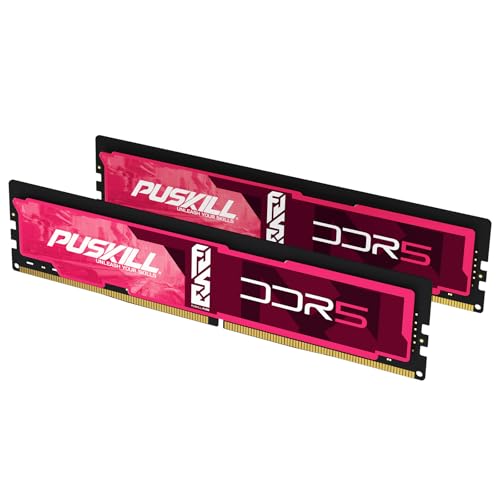


The short answer: total the memory assigned to every VM and container that will run at the same time, reserve at least 2GB for Proxmox VE and its services, then add storage and safety headroom. 32GB fits a small lab, 64GB is the balanced single-node choice, and 96GB suits a dense consumer-platform host that genuinely exceeds 64GB.
The live picks above are consumer desktop DDR5 UDIMMs. Use them only when your CPU and motherboard accept that memory type. Production servers may require ECC UDIMM or RDIMM; check the ECC and Server RAM Guide and the system QVL before buying.
Build a memory budget
| Host plan | Starting capacity | Example use |
|---|---|---|
| Small learning node | 32GB | Several containers and two or three light VMs |
| Flexible single node | 64GB | Multiple services, labs, and moderate VMs |
| Dense homelab host | 96GB | Larger VM set, development clusters, storage headroom |
Write down every guest expected to run concurrently. Add its configured memory, not the minimum printed by the guest OS. Then add the host reserve and a margin for spikes. Memory ballooning can improve utilization, but it is not permission to promise the same physical memory to every busy guest.
Use this sizing worksheet
Proxmox's official minimum is 2GB for the operating system and services, plus guest memory. For a practical homelab, calculate:
Installed RAM target = host reserve + concurrent guest allocations + storage allowance + 15-20% operating headroom
The host reserve can be higher than the official minimum when the node also runs backup, monitoring, clustering, or management services. Count only guests that can be busy at the same time, but do not assume ballooning will rescue a host whose workloads all peak together.
| Worksheet line | What to enter |
|---|---|
| Host and services | 2GB official minimum; use a larger operational reserve when services justify it |
| Virtual machines | Configured memory for every concurrently active VM |
| LXC containers | Expected working set for active containers |
| ZFS or Ceph | Proxmox's approximate 1GB per TB of used storage guidance |
| Safety margin | 15-20% after the previous lines |
Three sample homelab plans
| Plan | Example allocation before headroom | Capacity decision |
|---|---|---|
| Learning node | 4GB host + two 4GB VMs + 6GB containers + 2GB storage allowance = 20GB | 32GB |
| General lab | 6GB host + 28GB VMs + 10GB containers + 4GB storage allowance = 48GB | 64GB |
| Dense developer node | 8GB host + 48GB VMs + 14GB containers + 6GB storage allowance = 76GB | 96GB |
These are planning examples, not universal Proxmox presets. A database VM, Kubernetes lab, Windows domain, or media server can have very different working sets. Build the table from your own simultaneous services.
ZFS and Ceph headroom
Proxmox's official requirements give an approximate additional rule of 1GB per TB of used storage for Ceph or ZFS. Treat this as planning guidance rather than a universal tuning formula. Workload, record size, cache behavior, deduplication, and cluster design can change needs.
Do not allocate every installed gigabyte to guests. The host, filesystem cache, backup operations, and management services need breathing room. If a planned node lands at 58GB before safety margin, buy 64GB only if you can reduce guest reservations; otherwise step to 96GB or a server platform with a higher validated maximum.
ECC, UDIMM, and RDIMM
Proxmox itself does not require ECC. ECC can still be a valuable reliability feature for an always-on storage host, but support must align across the processor, motherboard, BIOS, and module type.
- Consumer desktop boards normally use unbuffered DIMMs.
- Some workstation boards support ECC UDIMMs.
- Server boards may require RDIMMs and will not accept consumer UDIMMs.
- Registered and unbuffered modules cannot be mixed.
If data integrity and uptime are the priority, start from the server or workstation QVL rather than selecting a cheap consumer kit first. Browse Server RAM Prices for the relevant market, not the live consumer picks above.
ECC decision matrix
| Host role | Memory direction |
|---|---|
| Disposable learning lab with reproducible guests | Consumer non-ECC can be reasonable on a validated desktop platform |
| Always-on NAS or important ZFS data | Prefer an ECC-capable CPU, board, and validated ECC modules |
| Used enterprise server | Follow the server QVL; RDIMM generation, rank, and population rules matter |
| Consumer board advertising ECC support | Confirm whether it actually reports and corrects errors rather than merely booting the module |
ECC is a platform decision, not a feature added by purchasing an ECC-labelled stick. The processor, motherboard wiring, firmware, and operating-system reporting must support the same ECC mode. Use the motherboard QVL tool as a starting point, then confirm the vendor manual.
Speed matters less than capacity and validation
A virtualization host benefits from memory bandwidth, but capacity, stability, and platform support come first. For a consumer AM5 homelab, a two-stick DDR5-6000 EXPO kit can be a practical choice; read Best RAM for AM5. For a Core Ultra desktop host, start from the board's supported DDR5 configuration.
Prefer one matched kit and validate it under sustained load. Four DDR5 sticks may force a lower speed, covered in Four-Stick DDR5 Stability. Test before migrating important guests with How to Test RAM Health.
Buying checklist
- 1Add concurrent guest allocations.
- 2Reserve host memory and filesystem headroom.
- 3Decide whether the platform needs non-ECC UDIMM, ECC UDIMM, or RDIMM.
- 4Check CPU support, board maximum, QVL, module density, and BIOS.
- 5Compare 64GB DDR5 and 96GB DDR5 only for compatible consumer hosts.
- 6Stress-test the final configuration before relying on it.