Optimal RAM for Pixelmon Modpack
Allocate about 4GB JVM heap for Pixelmon Modpack, on a 16GB+ dual-channel system so Windows is not starved. Prefer Java 17 with tuned G1GC; never give Minecraft more than half of physical RAM.
JVM baseline
4 GB
System RAM target
16 GB+
Mod count
85 mods
GC engine
Optimized G1GC
Dual-channel kits for 16GB+ systems
Disclosure: As an Amazon Associate I earn from qualifying purchases. Rankings use price and spec data only — not paid placement. How we rank products
Shop physical RAM for the PC hosting Pixelmon Modpack — not the JVM Xmx value alone. Leave headroom so Windows is not paging while the pack loads.

Best match
Corsair Vengeance LPX 128GB (4x32GB) DDR4 3600 (PC4-28800) C18 1.35V Desktop Memory - Black
$194.99 · $1.52/GB
In stock

DDR5 kit
CORSAIR Vengeance RGB DDR5 RAM 96GB (2x48GB) 6000MHz CL30 Intel XMP iCUE Compatible Computer Memory - Black (CMH96GX5M2B6000C30)
$189.99 · $1.98/GB
In stock
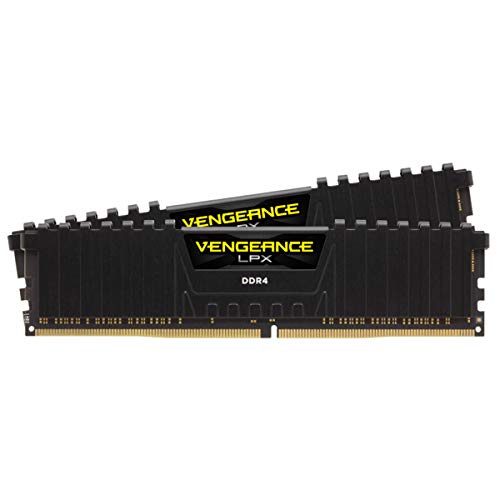
DDR4 kit
CORSAIR Vengeance LPX DDR4 RAM 64GB (2x32GB) 3600MHz CL18-22-22-42 1.35V Intel AMD Desktop Computer Memory - Black (CMK64GX4M2D3600C18)
$149.99 · $2.34/GB
In stock
Memory Allocation Map
Light heaps keep G1GC sweeps short without heavy stutters.
Optimized JVM arguments console
Pre-configured garbage collection bounds synchronized to your sizer metrics.
Uses highly tuned sizing percentages and short garbage collection windows (MaxGCPauseMillis=200). Works perfectly for legacy clients or memory pools under 6GB.
⚙️ Requirements: Compatible with Java 8, 17, and 21. Optimal for low-overhead setups.Minecraft Out-of-Memory (OOM) Crash Registry
Common crash signatures that indicate your Java heap allocations are failing.
Occurs when Windows runs completely out of physical system memory and forcibly kills the Java VM. Triggered by over-allocating RAM inside launchers or running out of pagefile space.
Occurs when Minecraft Modpack registries baked items exceed allocated heap size. The internal JVM throws a "Java heap space" exception and shuts down safely. Solve by scaling up allocation slider.
Occurs when the JVM spends more than 98% of CPU time performing garbage collection loops but frees less than 2% of the heap. This causes intense stuttering before crashing. Check JVM arguments.
Frequently Asked Questions (FAQ)
How much memory is needed to play Pixelmon smoothly?▼
Does Pixelmon run better on Java 21?▼
Related Minecraft profiles
Next steps
Tune JVM settings above, then shop a dual-channel kit — or dig into stutter causes and platform guides.