← All game guidesCross-Platform · Java VM

Best RAM for Minecraft (Heavy Modded)

For Minecraft (Heavy Modded), buy 16GB dual-channel UDIMM near DDR5-6000 CL30 (2x16GB dual-channel); step to 32GB when mods or ultra streaming pile on. Modded Minecraft (running 200+ mods via CurseForge/ATLauncher) is entirely limited by Java Virtual Machine (JVM) heap allocation parameters.

Recommended

16 GB

Enthusiast

32 GB

Sweet-spot speed

DDR5-6000 CL30

Kit layout

2x16GB dual-channel

Live kits for Minecraft (Heavy Modded)

Disclosure: As an Amazon Associate I earn from qualifying purchases. Rankings use price and spec data only — not paid placement. How we rank products

Best match

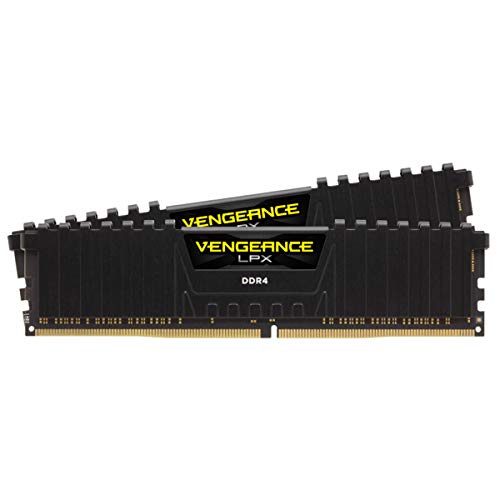
Corsair Vengeance LPX 128GB (4x32GB) DDR4 3600 (PC4-28800) C18 1.35V Desktop Memory - Black

$194.99 · $1.52/GB

In stock

DDR5 kit

CORSAIR Vengeance RGB DDR5 RAM 96GB (2x48GB) 6000MHz CL30 Intel XMP iCUE Compatible Computer Memory - Black (CMH96GX5M2B6000C30)

$189.99 · $1.98/GB

In stock

DDR4 kit

CORSAIR Vengeance LPX DDR4 RAM 64GB (2x32GB) 3600MHz CL18-22-22-42 1.35V Intel AMD Desktop Computer Memory - Black (CMK64GX4M2D3600C18)

$149.99 · $2.34/GB

In stock

Why Minecraft (Heavy Modded) stutters

Modded Minecraft (running 200+ mods via CurseForge/ATLauncher) is entirely limited by Java Virtual Machine (JVM) heap allocation parameters. If too little memory is allocated, Java's garbage collector (GC) triggers severe micro-stutters every few seconds. Allocating too much memory causes long, freezing GC cycles.

What RAM kit to buy

For Minecraft (Heavy Modded), shop matched dual-channel UDIMM kits at 16GB (2x16GB dual-channel) before spending on RGB or extreme CL. Populate the primary dual-channel slots (usually A2/B2) and enable XMP/EXPO so DDR5-6000 CL30 actually trains for Minecraft (Heavy Modded). Reserve 32GB builds for heavy Sandbox / Survival mod stacks or Java VM asset packs on Minecraft (Heavy Modded). Live kits below prefer in-stock DDR4/DDR5 modules that clear the 16GB floor for minecraft-modded.

Engine, genre & mod notes

Minecraft (Heavy Modded) is JVM/Bedrock sensitive — oversized heaps on small PCs starve Windows; size system RAM for game + OS, not Xmx alone. For Sandbox / Survival, size to 16GB recommended before chasing enthusiast 32GB kits. Mod / extra load: Custom server hosting and modpacks (like All the Mods 9) require allocating 8GB–12GB of RAM directly to the JVM, making 32GB system memory essential. Released 2011 · Cross-Platform focus · min 12GB / rec 16GB / enthusiast 32GB.

Capacity selector & sweet-spot

Select a hardware profile for Minecraft (Heavy Modded).

Target capacity

16GB

Smooth gameplay, steadier frametimes, and room for Discord/browser multitasking.

Platform: Cross-PlatformJava VM

Sweet-spot setup

Sweet-spot speed

DDR5-6000 CL30 or DDR4-3600 CL16

Configuration

2x16GB dual-channel

Stutter & frame drops: Modded Minecraft (running 200+ mods via CurseForge/ATLauncher) is entirely limited by Java Virtual Machine (JVM) heap allocation parameters. If too little memory is allocated, Java's garbage collector (GC) triggers severe micro-stutters every few seconds. Allocating too much memory causes long, freezing GC cycles.

CC & modding impact: Custom server hosting and modpacks (like All the Mods 9) require allocating 8GB–12GB of RAM directly to the JVM, making 32GB system memory essential.

Representative logs and Event Viewer-style signals when Minecraft (Heavy Modded) runs out of memory or hits a single-channel bottleneck.

System memory diagnostics

[ERROR] Java HotSpot(TM) 64-Bit Server VM: OutOfMemoryError: Java heap space

[SYSTEM] JVM Garbage Collector: active GC spike, pause time 820ms

[WARNING] Minecraft exit code 137: process terminated by operating system due to memory exhaustion

[HELP] Upgrade to a sweet-spot dual-channel kit (DDR5-6000 CL30 or DDR4-3600 CL16).

Minecraft (Heavy Modded) RAM FAQ

Why does modded Minecraft crash with Exit Code 137?
Exit Code 137 is a standard Unix/Windows exit code indicating that the operating system terminated the Java process because it fully ran out of allocated memory.
How much RAM should I allocate to my modpack?
For medium modpacks, allocate 6GB–8GB. For large modpacks (like ATM9 or Pixelmon), allocate 10GB–12GB. Always leave at least 4GB of system memory free for Windows background tasks.
Is 12GB enough for Minecraft (Heavy Modded)?
12GB is the floor to launch Minecraft (Heavy Modded). Expect paging in heavier sandbox / survival moments — 16GB dual-channel UDIMM is the practical target, with 32GB for mods/enthusiast presets.
Should I buy DDR4 or DDR5 for Minecraft (Heavy Modded)?
Match the motherboard. Either generation works if dual-channel and capacity are right. Sweet-spot speed: DDR5-6000 CL30 or DDR4-3600 CL16.