← All handheld & mini-PC guides
Mini-PC Β· IntelSocketed SO-DIMM

RAM upgrade guide for Intel NUC 13 Pro (Arena Canyon)

NUC 13 Pro Arena Canyon is the affordable DDR4 SO-DIMM NUC β€” upgrade with matched DDR4-3200 kits to 2Γ—32GB (64GB). Do not buy DDR5; Iris Xe shares memory dynamically without handheld-style UMA gymnastics.

Stock memory

16GB (2x8GB)

Maximum

64GB (2x32GB)

Memory type

DDR4 SODIMM

Difficulty

Easy

Live SO-DIMM kits for Intel NUC 13 Pro (Arena Canyon)

Disclosure: As an Amazon Associate I earn from qualifying purchases. Rankings use price and spec data only β€” not paid placement. How we rank products

Best match

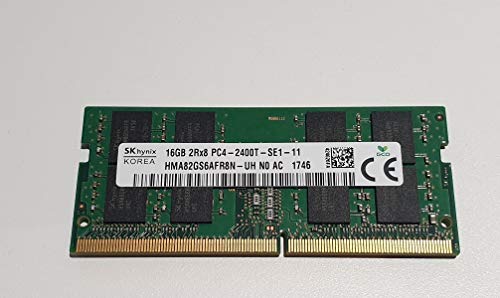
Hynix HMA82GS6AFR8N-UH 16GB DDR4-2400 SODIMM

$81.01 Β· $5.06/GB

In stock

DDR4 kit

Adamanta 16GB (1x16GB) Laptop Memory Upgrade DDR4 2133Mhz PC4-17000 SODIMM 2Rx8 CL15 1.2v Notebook DRAM RAM

$85.50 Β· $5.34/GB

In stock

DDR4 kit

Timetec 32GB KIT (2x16GB) DDR4 2666MHz (PC4-2666V) PC4-21300 SODIMM Laptop RAM – 260-Pin 1.2V CL19 Non-ECC Unbuffered Memory Module for Laptop, Notebook, Mini PC, All-in-One

$178.99 Β· $5.59/GB

In stock

Why Intel NUC 13 Pro (Arena Canyon) stutters (or pages)

Office/NUC stutter here is usually capacity: 8–16GB configs melt under Chromium + Teams + Excel. Iris Xe also wants dual-channel β€” a single stick makes even light GPU effects hitch. This is not an Ally-style 6G UMA puzzle.

What to buy or configure

Buy DDR4-3200 (1.2V) SO-DIMM matched kits. 2Γ—16GB is the value sweet spot; 2Γ—32GB if you keep many VMs/IDEs. DDR5 modules are physically/electrically wrong. ECC SODIMM is generally unnecessary for consumer NUC BIOS.

Memory deep dive

Intel NUC 13 Pro (Arena Canyon) is a DDR4 holdout in a DDR5 world β€” which makes upgrades cheaper. Editorial focus: correct generation (DDR4), dual-channel kits to 64GB, and skipping handheld UMA folklore that does not apply.

Clearance / form factor: Bottom-service stacked SO-DIMM slots β€” standard low-profile DDR4 laptop modules fit. Avoid ultra-thick heat spreaders that prevent the bottom lid from seating.

Tuning notes: Leave shared graphics on Windows dynamic defaults. Spending time on dual-channel population and total GB returns more than hunting BIOS UMA sliders on this P-series NUC.

Physical Clearance Check

SO-DIMM Profile:standard
30mm standard height clears fan
Intel WorkstationSO-DIMM slots
Compatible Form FactorStandard low-profile DDR5/DDR4 SO-DIMM sticks (height < 30mm) without external heatsinks will fit perfectly under the active fan duct. Compatible with Corsair Vengeance, Crucial, and Kingston SO-DIMMs.

Thermal & Performance Advice

Bottom-service stacked SO-DIMM slots β€” standard low-profile DDR4 laptop modules fit. Avoid ultra-thick heat spreaders that prevent the bottom lid from seating.

Frequently Asked Questions (FAQ)

Does NUC 13 Pro use DDR4 or DDR5?β–Ό
Arena Canyon NUC 13 Pro uses DDR4 SO-DIMM at JEDEC 3200. DDR5 kits will not work.
Max RAM for NUC 13 Pro?β–Ό
64GB via two 32GB DDR4 SO-DIMMs.
Do I need to set UMA like a handheld?β–Ό
No. Windows dynamic shared graphics is appropriate; prioritize dual-channel capacity.
Can I use desktop DDR4 DIMMs?β–Ό
No β€” wrong form factor. SO-DIMM only.